
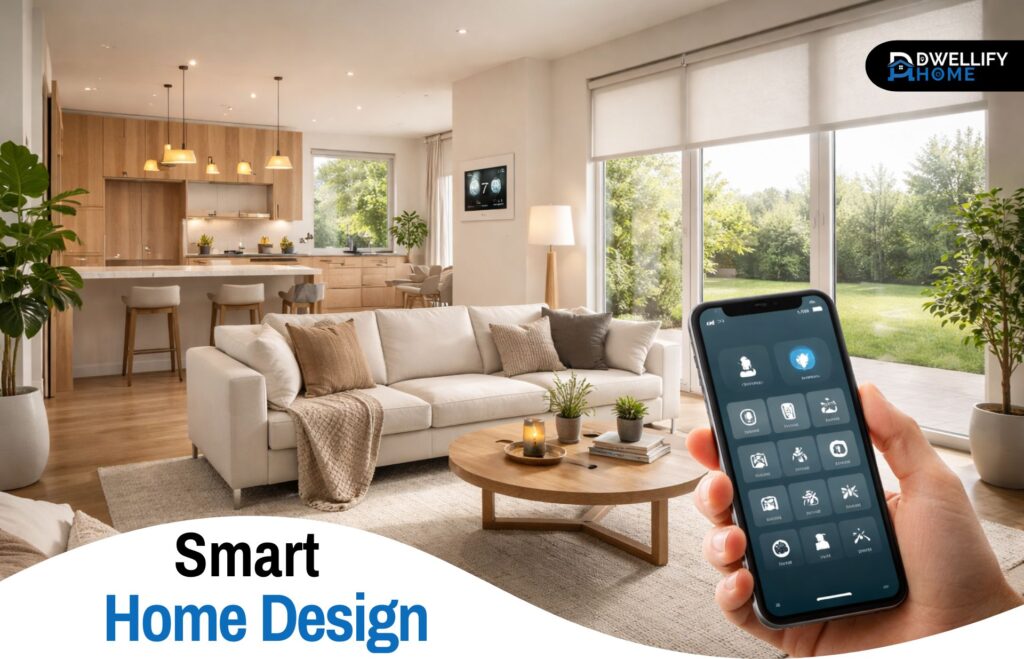
A well-designed smart home doesn’t feel technical. It feels easy.
That’s the difference people usually notice after living with one for a while. The lights come on where they should. The bedroom feels comfortable at night without fiddling with the thermostat. The front door is easier to manage when hands are full. Nothing about it needs to look futuristic or complicated. It just needs to make daily life smoother.
That’s really what smart home design is about. Not filling rooms with gadgets, but shaping a home around how people actually live in it.
Snippet-Ready Definition:
Smart home design is the planning of lighting, comfort, security, and connected features so a home works more smoothly, feels less cluttered, and supports daily routines more naturally.Mission Statement:
Dwellify Home helps homeowners make practical, stylish, and informed home design decisions with clear advice they can actually use.
What Smart Home Design Really Means
A lot of homeowners make the same mistake at the start. They buy a few devices, connect them one by one, and hope it all comes together later. Most of the time, it doesn’t.
Good smart home design starts with the house itself. How you move through it. Which rooms are used the most. Where clutter builds up. Which tasks get repeated every day. Once you look at those patterns, the right technology becomes much easier to choose.
It also helps to separate smart design from basic home automation. Automation is a feature. Design is the bigger picture. It’s the difference between adding a smart bulb and planning lighting, comfort, entry, privacy, and control in a way that feels natural across the whole home.
Key Benefits:
- Improves comfort room by room
- Makes daily routines easier to manage
- Helps reduce visual clutter from devices and controls
- Supports better lighting, privacy, and security
- Can improve energy efficiency when planned well
Start With a Smart Home Design Project Plan
Before picking products, step back and make a simple plan.
Start with the parts of the home that affect daily comfort the most. In most homes, that’s usually the entry, kitchen, living room, bedroom, and heating or cooling system. These areas give the clearest return because they solve real friction points.
It’s also worth thinking early about switches, outlets, charging spots, and Wi-Fi coverage. This matters even more during a renovation. I’ve seen homeowners spend a lot on smart devices, only to realize later that the switch placement makes no sense, the router is in the wrong spot, or the kitchen still has cords and chargers spread everywhere.
A smart home design project works better when the plan comes before the products.
Build Around Daily Routines Instead of Individual Devices
The best systems are built around routines, not around features.
Think about the first hour of the day. You wake up, walk to the bathroom, head to the kitchen, maybe check the front door on the way out. That pattern tells you a lot. Soft lighting in the morning, a comfortable room temperature, a coffee setup that’s ready on time, and a simple way to lock up can remove small annoyances you deal with every single day.
The same goes for the evening. Dimming lights, lowering blinds, adjusting the thermostat, and checking that the doors are locked should feel like part of winding down, not a list of separate tasks.
That’s usually the point where a home starts feeling smarter rather than more complicated.
Use Smart Lighting to Improve Function and Mood
Lighting is one of the strongest places to start because it affects how every room feels.
In practice, smart lighting works best when it supports different uses within the same space. A kitchen needs bright task lighting while cooking, but softer light later in the evening. A living room often needs layered lighting for reading, watching TV, or having people over. Bedrooms need gentler transitions, especially at night.
One detail people often overlook is whether they need smart bulbs or smart switches. Smart bulbs are useful in lamps and places where color control matters. Smart switches usually make more sense for main room lighting because they’re easier for everyone to use, including guests and family members who don’t want to open an app every time they walk into a room.
Motion-based lighting can help too, but only in the right places. Hallways, laundry rooms, and bathrooms tend to benefit. Bedrooms usually don’t.
Add Automated Window Treatments for Light, Privacy, and Comfort
Automated blinds or shades often sound like a luxury feature until people live with them.
In real homes, they solve practical problems. Harsh morning glare in the bedroom. Afternoon heat in a west-facing living room. Privacy in street-facing spaces. Once they’re scheduled properly, they do their job quietly in the background.
They also work well with climate control. Closing shades during the hottest part of the day can reduce heat buildup, which helps the cooling system work less. In cooler weather, using them well can help retain warmth.
This is one of those upgrades that blends design and function nicely because it makes the room look cleaner while also improving comfort.
Design a Smarter Entry for Security and Ease
The front entry is where convenience and security usually meet.
A good setup might include a smart lock, a video doorbell, and a simple way to manage access for family, guests, cleaners, or deliveries. The key is to keep it practical. You don’t want a front door covered in visible tech that makes the entrance feel busy.
One of the better approaches is choosing fewer devices that do their job well. A clean lock design, a discreet camera angle, and notifications that are useful rather than constant can make the entry feel more secure without turning it into a control center.
Manual backup matters too. Battery failure, app issues, or connectivity problems are rare, but they do happen. The setup should still be easy to use when something doesn’t go as planned.
Create a Kitchen That Works Harder Every Day
The kitchen is one of the easiest places to overdo technology.
What usually works best is focusing on tools that reduce mess, save time, or support routines you already have. Touch-free faucets make sense in a busy kitchen. Well-placed charging drawers keep counters cleaner. Smart ovens and refrigerators can be useful, but only if their features fit how the household cooks and shops.
I’ve found that the real value in a smart kitchen often comes from layout decisions rather than headline features. Hidden charging, cleaner cable management, lighting under cabinets, and voice-free controls in the right spots usually matter more in day-to-day use than flashy extras.
The room should still feel calm and easy to clean. That’s a good rule for almost every smart upgrade in the house.
Make Bedrooms and Bathrooms More Comfortable
Not every smart feature needs to be visible to be worthwhile.
Bedrooms benefit from the quieter side of automation. Gentle wake-up lighting, blackout shades on a schedule, and room temperature adjustments through the night can noticeably improve comfort. These aren’t dramatic changes, but people tend to feel the difference quickly.
Bathrooms also work well with a few carefully chosen upgrades. Better humidity control, lighting that shifts from bright in the morning to softer at night, and simple comfort features can make the room easier to use without making it feel overbuilt.
These spaces are a good reminder that the goal isn’t to impress anyone. It’s to make ordinary routines feel easier.
Improve Climate Control Throughout the Home
Heating and cooling upgrades often deliver more day-to-day value than people expect.
A smart thermostat is a solid starting point, but the better results usually come from zoning, room-by-room adjustments, and connecting climate control with other parts of the home. Shades, sensors, schedules, and occupancy patterns all make a difference.
A common issue in larger homes is uneven comfort. One room stays too warm, another gets too cold, and everyone keeps adjusting the system manually. Smarter climate planning helps smooth that out.
It also helps with energy use, but comfort should come first. A home that saves power but feels unpleasant isn’t well designed.
Hide the Tech for a Cleaner, More Modern Look
One of the best design decisions is often choosing what not to see.
That means fewer remotes, fewer cords, fewer random chargers on surfaces, and fewer controls fighting for wall space. Low-profile keypads, hidden speakers, built-in charging stations, and better cable management can make a big visual difference.
This matters more than many homeowners expect. A room can have great finishes and furniture, but still feel messy if the tech layer is scattered everywhere.
The cleaner the integration, the more timeless the home tends to feel.
Build a Strong Network Backbone Behind the Scenes
A connected home is only as reliable as the network supporting it.
This part isn’t exciting, but it’s where many problems begin. Weak Wi-Fi, poor device placement, overloaded hubs, and dead zones can make a smart setup frustrating fast. That’s why network planning should be treated as part of the design, not a separate tech issue.
In smaller homes, a strong router may be enough. In larger homes, mesh systems or wired access points usually perform better. In some cases, running Ethernet to key locations is worth it, especially for cameras, workspaces, or media areas where reliability matters.
Compatibility matters too. Keeping as many devices as possible within a stable ecosystem makes control much simpler over time.
Choose Smart Features That Solve Real Problems
Not every feature deserves a place in the home.
A good filter is to ask one question: what problem does this actually solve? That keeps the design focused. Better lighting, easier entry, improved sleep comfort, cleaner kitchen workflow, and more stable temperature control are all strong reasons to add technology.
On the other hand, features that create extra steps, require constant maintenance, or confuse other people in the house usually don’t last.
It’s also smart to phase upgrades. Start with the areas that affect daily life most, live with them, then build from there. That approach usually leads to better decisions and fewer regrets.
Common Mistakes to Avoid
The most common mistake is buying devices before having a plan.
Other issues show up often too: mixing too many ecosystems, ignoring manual controls, placing devices where they’re awkward to use, and assuming every family member wants to manage the home the same way.
Another mistake is forgetting long-term maintenance. Batteries need replacing. Apps change. Devices age. Privacy settings matter. A solid setup should still feel manageable a few years later, not just on installation day.
Simple, reliable systems usually age better than complicated ones.
Expert Tips for a More Future-Ready Home
Leave room to grow.
That doesn’t mean wiring every possible feature on day one. It means making choices that won’t box you in later. A few spare outlets in the right places, better switch planning, stronger Wi-Fi coverage, and products that work well with broader smart home ecosystems can make future changes much easier.
It also helps to think about how household needs may shift. Kids grow up. Older relatives move in. Work-from-home routines change. A home that’s easy to adapt is almost always more useful than one built around a narrow set of assumptions.
FAQs:
What is smart home design?
Smart home design is the process of integrating connected features like lighting, climate control, security, and window treatments into the home in a way that feels practical and visually clean.
How is smart home design different from home automation?
Home automation usually refers to individual routines or devices. Smart home design looks at the bigger picture, including layout, usability, comfort, and how the technology fits the home.
Where should I start with smart home design?
Start with the areas that affect daily life the most, such as lighting, entry, climate control, and Wi-Fi coverage. Those upgrades usually make the biggest difference first.
Does smart home design need to be planned during renovation?
It helps, especially for switches, outlets, wiring, and network placement. Still, many useful upgrades can be added later if the layout and device compatibility are thought through.
What makes a smart home feel well designed?
A well-designed setup feels easy to use, works reliably, and doesn’t make the space look crowded with gadgets, cords, or too many controls.
Conclusion
Smart home design works best when it fades into the background.
The lights feel right. The temperature stays comfortable. The front door is easier to manage. The kitchen functions better. The bedroom supports rest. None of it needs to feel flashy to be useful.
That’s usually the clearest sign the design is working. The home feels calmer, more functional, and easier to live in day after day.
Disclaimer:
Content is for general informational purposes and should be used alongside your own research, budget, and home-specific requirements.

I’m Bilal Hassan, the founder of Dwellify Home. With 6 years of practical experience in home remodeling, interior design, and décor consulting, I help people transform their spaces with simple, effective, and affordable ideas. I specialize in offering real-world tips, step-by-step guides, and product recommendations that make home improvement easier and more enjoyable. My mission is to empower homeowners and renters to create functional, beautiful spaces—one thoughtful update at a time.