
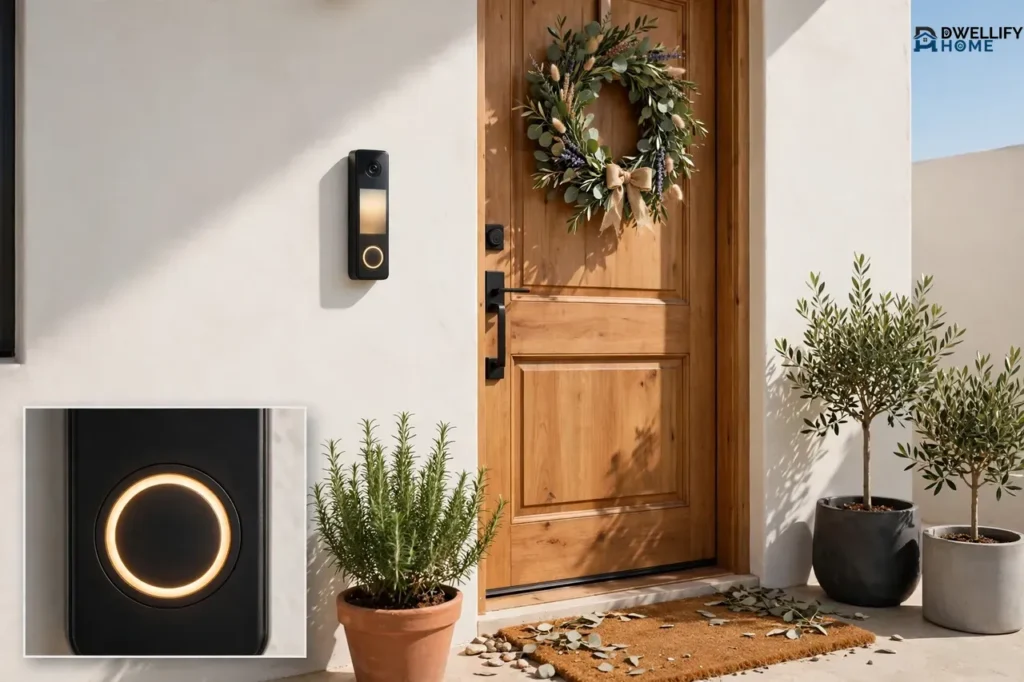
A battery operated doorbell runs on its own battery instead of your home’s doorbell wires, so you can mount it by the front door with no electrician and no existing wiring. Pick a chime-only kit if you only want to hear a ring inside the house, and pick a battery video doorbell if you also want to see and talk to visitors on your phone. The battery is the whole trade-off: you gain easy install, and you take on charging or replacing a battery every few months to every few years, depending on the type you buy.
That one choice — chime-only or video — decides almost everything else: the price, the battery type, whether you need Wi-Fi, and whether you need a plug-in chime indoors.
What a Battery Operated Doorbell Is (and What It Is Not)
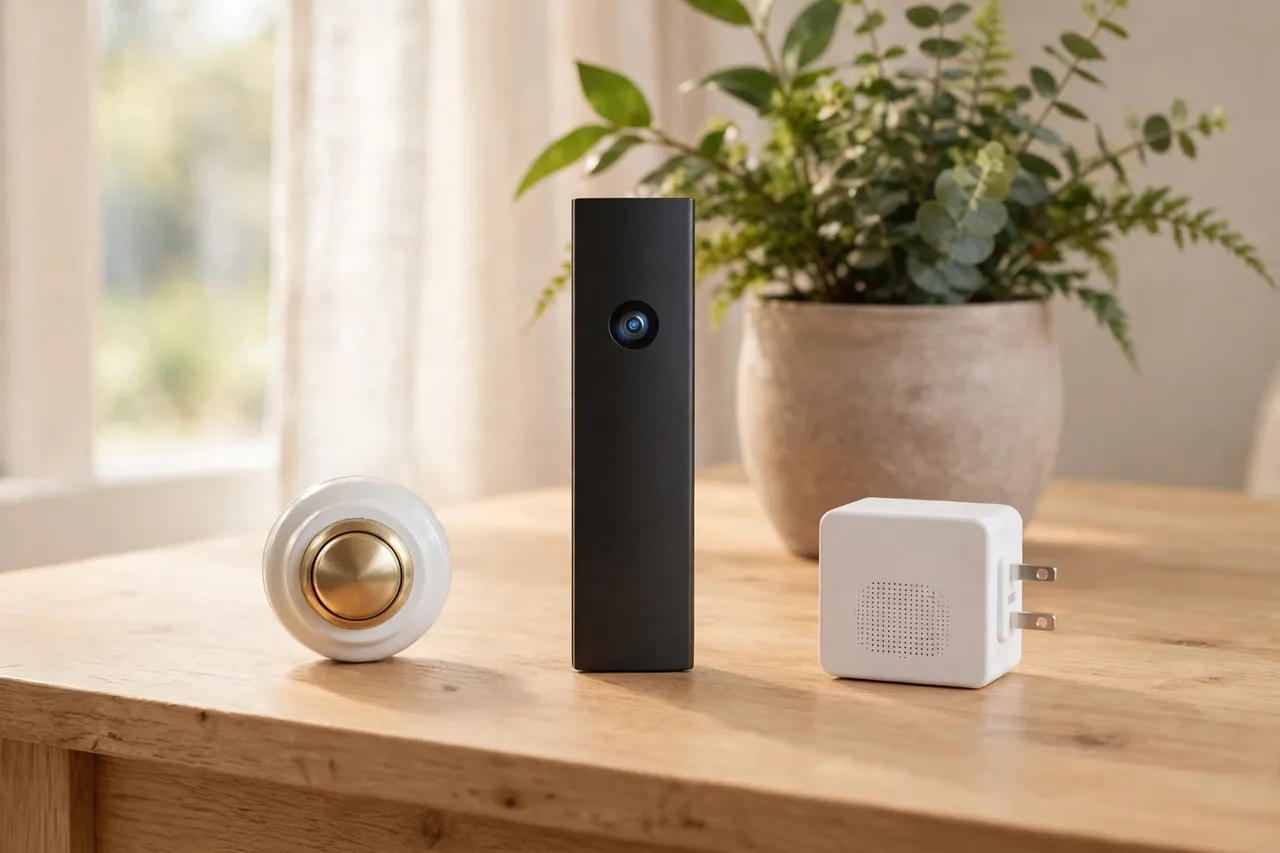
A battery operated doorbell is a doorbell that draws its power from a battery instead of from low-voltage wires in your wall. You press the button, and the doorbell sends a signal — by radio to a chime box inside, or by Wi-Fi to your phone. No transformer, no doorbell circuit, and no wires to run.
Three products share the word “wireless.” Here is how they differ:
- A battery doorbell (chime-only): a push button outside and a chime box inside. Press the button, and the chime rings. It has no camera, no app, and no Wi-Fi. This is the simplest and cheapest kind.
- A battery video doorbell: a push button with a camera, microphone, and speaker built in. It sends video and alerts to your phone over Wi-Fi, and it often needs a separate plug-in chime so you can hear it inside. Ring’s battery doorbells are the best-known example.
- A plain wireless chime: often just another name for a chime-only kit. The word “wireless” here means the button talks to the chime by radio, not that it connects to the internet.
A battery doorbell is also different from a wired doorbell. A wired doorbell connects to a transformer and your existing chime, and it never needs charging. A battery doorbell skips the wiring, and you pay for that freedom with battery upkeep. Neither kind is better for everyone. The right one depends on your home, not on the box.
Chime-Only or Video Doorbell: Pick the Right Kind First
Start here, because this choice shapes your budget and your chores. A chime-only doorbell does one job: it tells you someone is at the door. A video doorbell does that job and adds a camera, motion alerts, and two-way talk. That extra power comes at a cost — a higher price, Wi-Fi, an app, and a battery that drains much faster.
Choose a chime-only doorbell if you only want to hear the ring. It suits a rental, a side door, or a home where nobody wants another app. The button usually runs on a small coin battery for years, and the indoor chime plugs into a wall outlet or runs on AA or C batteries.
Choose a battery video doorbell if you want to see who is there before you open the door, talk to a delivery driver from your couch, or get a motion alert when someone walks up to the porch. Expect to charge it, pay for video storage if you want saved clips, and keep your Wi-Fi strong at the front door.
Use this table to settle it in one glance:
| Feature | Chime-Only Doorbell | Battery Video Doorbell |
|---|---|---|
| What it does | Rings a chime inside | Rings, shows video, talks back |
| Needs Wi-Fi | No | Yes |
| Needs an app | No | Yes |
| Battery upkeep | Swap a coin battery every 2–3 years | Recharge every 1–6 months |
| Typical hardware price | Lowest of the two kinds | $59.99–$249.99 for the models in this guide |
| Monthly cost | None | Often a plan for saved video |
| Best for | Renters, side doors, simple homes | Front doors, packages, peace of mind |
Battery Operated vs Wired: Which Fits Your Home?
A wired doorbell never needs charging, and a battery doorbell never needs wiring. That is the whole contest, and your house usually decides the winner.
Go with a battery operated doorbell when your home has no doorbell wires, when you rent and cannot change the wiring, or when you want the doorbell on a gate, a garage, or a door that never had one. Install takes minutes, and you can take the doorbell with you when you move.
Go with a wired doorbell when your home already has working doorbell wires and a chime you like. You get power that never runs out, and your existing chime rings without extra gear. If your transformer is old or weak, hire an electrician to check it before you buy — that is the one job in this guide that belongs to a pro.
Some battery video doorbells offer a middle path: they run on the battery but can also connect to existing doorbell wires, which trickle-charge the battery and ring your old chime. Ring notes this option on its battery doorbell pages. Check the exact model first, because not every battery doorbell supports it.
How Long Does the Battery Last — and What Drains It?
For a battery video doorbell, plan on recharging every few months, not once a year. Ring states that its doorbell batteries typically last 6 to 12 months per charge, and Ring ties that figure to light use. In real homes with a busy front walk, motion alerts, and cold winters, most owners recharge far more often — every 1 to 3 months on a busy door, and every 4 to 6 months on a quiet one.
For a chime-only doorbell, the answer is far simpler. The push button usually runs on a CR2032 coin battery that lasts about 2 to 3 years, because the button only wakes up when someone presses it. Some long-range models stretch that to about 4.5 years.
Five things drain a video doorbell battery fastest:
- Motion alerts: every passing car, waving branch, or neighbor’s dog wakes the camera. A door that faces a sidewalk drains far faster than a door on a quiet porch.
- Live View and talking: opening the live feed and chatting through the speaker uses far more power than a short motion clip.
- Weak Wi-Fi: a doorbell that strains to reach your router burns power just staying connected.
- Cold weather: lithium-ion batteries lose capacity in the cold. A battery that lasts five months in summer may last only two or three in a freezing winter.
- High video settings: top resolution and long recordings look great and drain the battery faster.
Use this table as a planning guide, not a promise. Your door, your street, and your settings set the real number.
| Doorbell Type and Use | Typical Time Between Charges or Swaps |
|---|---|
| Chime-only button (CR2032 coin battery) | About 2–3 years |
| Video doorbell, quiet door, few alerts | About 6–12 months |
| Video doorbell, average door | About 3–6 months |
| Video doorbell, busy street or wide motion zones | About 1–3 months |
| Video doorbell, cold winter with heavy use | As little as a few weeks |
Two habits stretch battery life more than any setting. First, narrow the motion zones to your walkway and porch, and turn down motion sensitivity until passing cars stop waking the camera. Second, check the battery level once a month, so a dead doorbell never surprises you on a day a package arrives.
Rechargeable vs Replaceable Batteries: Which Is Less Hassle?
Battery doorbells use one of three power setups, and each one asks something different of you.
Built-in rechargeable battery
The battery sits inside the doorbell and cannot come out. To charge it, you take the whole doorbell off its mount, plug it into a USB charger, and wait — Ring notes a full charge can take up to 10 hours. Your door has no doorbell while it charges, so charge overnight. Ring’s base Battery Doorbell 2K works this way, and it is the cheapest way into a video doorbell.
Quick-release rechargeable battery pack
The battery pack slides out of the doorbell, so you charge the pack — not the whole device — and the mount stays on the wall. Buy a spare pack, and you can swap a fresh one in within a minute while the spent pack charges. Ring’s Battery Doorbell 2K Plus and Battery Doorbell 4K Pro use this design. It costs more up front, and it is the easiest setup to live with.
Replaceable AA or coin batteries
Some video doorbells run on three AA lithium batteries, and chime-only buttons run on a CR2032 coin cell. You swap fresh batteries in — no charging, no downtime, no cable. Blink’s battery doorbell uses three AA lithium batteries, and Blink rates them for up to two years. You must use lithium AAs, not cheap alkaline ones, or the cold will kill them fast.
| Battery Type | How You Refill It | Downtime | Best For |
|---|---|---|---|
| Built-in rechargeable | Remove the doorbell, USB-charge it | Hours, doorbell off the wall | Lowest price, light use |
| Quick-release pack | Swap the pack, charge it indoors | About a minute with a spare pack | Busy doors, no downtime |
| Replaceable AA or coin cell | Swap in fresh batteries | About a minute | Set-and-forget, cold climates |
Pick the quick-release pack if you hate downtime. Pick replaceable AAs if you never want to think about charging cables. Pick the built-in battery only if the lower price matters more than the charging chore — and if your door is quiet enough that you will not charge it every month.
Solar Charging: Does a Solar Doorbell Camera Add-On Pay Off?
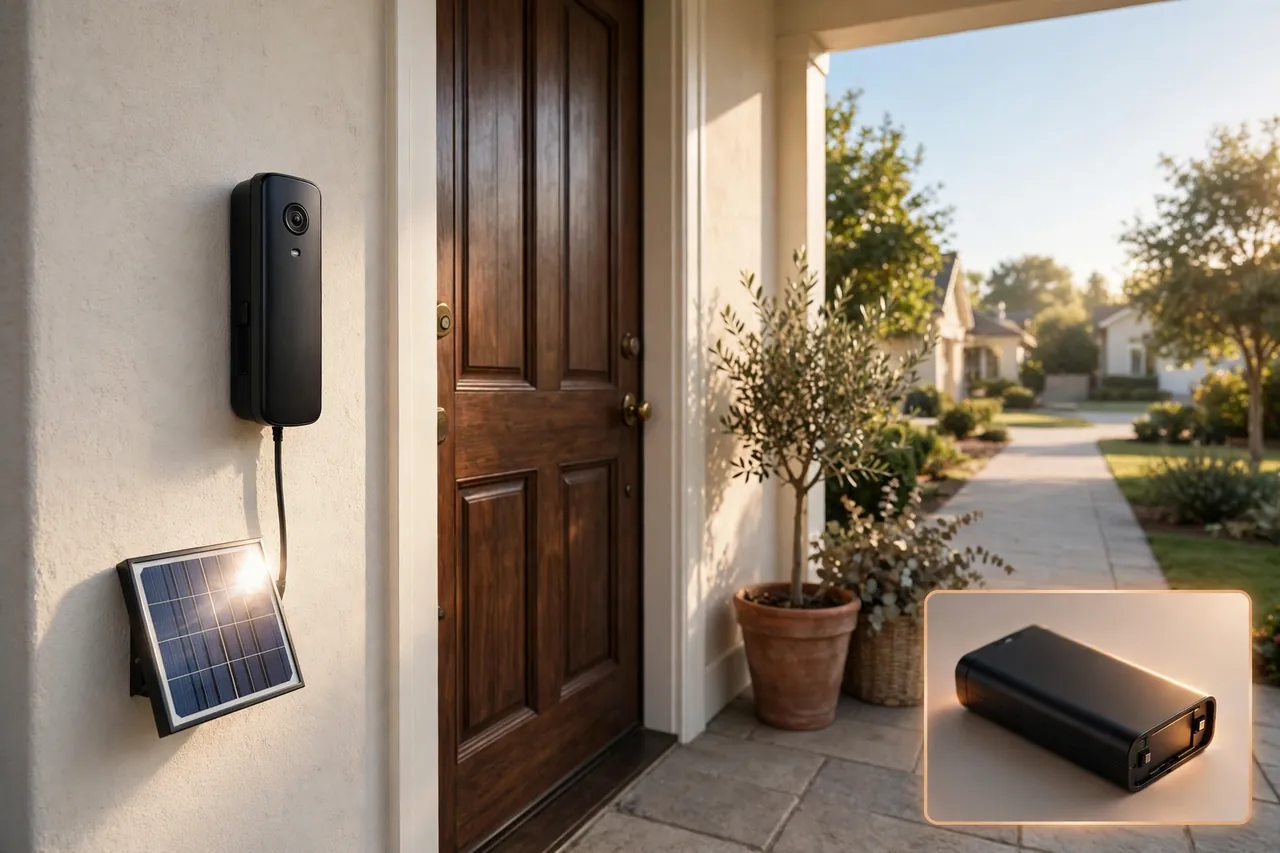
A solar charger is a small panel that mounts beside your battery video doorbell and trickles power into its battery from sunlight. Ring sells one for its battery doorbells, and it is the add-on buyers ask about most — usually right after their first winter of recharging.
Ring lists its Solar Charger for Battery Doorbells at $44.99 on ring.com, checked 6 November 2026. Ring says the panel extends battery life with 3 to 4 hours of direct sunlight a day, and it warns you to fully charge the battery pack before you connect the solar charger. The panel does not replace charging. It slows the drain, so you charge less often.
Buy a solar charger when your door gets several hours of direct sun a day and your doorbell drains fast from motion alerts. Skip it when your porch sits in shade or under a deep overhang — a shaded panel is a $44.99 decoration. Also check compatibility before you order: Ring makes different solar chargers for different doorbell models, and the wrong one will not fit.
Solar works best as part of a pair: narrow motion zones first, then let the sun top up what is left. Do the free fix before you buy the accessory.

Chimes: Will It Ring Inside Your House?
This is the question that catches the most buyers. A battery video doorbell does not ring your old wall chime by itself. The battery powers the doorbell, not your house wiring, so the old chime stays silent unless the model supports a wired connection. Your phone buzzes instead — and a phone on silent in another room hears nothing. You have four ways to hear the ring indoors:
- Plug-in chime: a small speaker that plugs into any wall outlet. Ring’s plug-in Chime pairs with Ring doorbells, and some video doorbell kits include a chime in the box.
- Your existing chime: some battery video doorbells can wire into your old chime circuit for trickle charging and ringing. It only works if your home has the wiring and the model supports it.
- A smart speaker or display: many video doorbells can announce on an Alexa or Google speaker you already own. It costs nothing extra.
- The chime in the kit: chime-only kits always include their indoor chime, and it is usually plug-in or battery-powered. No extra purchase, no app, no surprise.
Before you buy, answer one question: when someone rings, where in the house must you hear it? If the answer is “everywhere,” budget for a plug-in chime or two. A video doorbell without an indoor chime is a doorbell only your phone can hear.
Install Without Wiring: Renters and Homes With No Doorbell
A battery operated doorbell is the easiest doorbell a renter can own, because the install needs no wires and leaves almost no mark. Most kits arrive pre-paired, so the button already talks to the chime before you open the box.
Follow these steps for a chime-only kit:
- Put the batteries in the push button and the indoor receiver, or plug the receiver into a wall outlet.
- Press the button once and listen for the chime, while the receiver still sits in your hand. Test before you mount anything.
- Pick a melody and a volume level you can hear from the rooms you use most.
- Mount the button beside the door with the included screws or adhesive tape, about chest height, where rain cannot pool on it.
- Place the receiver indoors, within range, and press the button again from outside to confirm it rings.
A battery video doorbell takes a few more minutes: mount the bracket, click the doorbell in, connect it to Wi-Fi in the app, and set your motion zones. Use a no-drill adhesive mount if your lease bans holes — the doorbell sticks to the mount, and the mount peels off when you move.
One warning matters more than the rest: mount the doorbell where a thief cannot simply lift it off. A screw-fixed bracket beats an adhesive one on a street-facing door. When you move out, patch the two small screw holes and take the doorbell with you — that is the whole point of a battery model.
For the rest of the front door, pair the doorbell with a lock that suits the same no-wiring life. Our guide to the best smart lock for the front door covers keyless options that fit the same renter-friendly, battery-powered setup.

Best Picks by Situation
There is no single best battery operated doorbell. There is a best one for your door, your budget, and your patience with charging. These picks use verified US prices checked 6 November 2026, and each one suits a different situation.
Best low-cost video doorbell: Ring Battery Doorbell 2K — $99.99
Ring lists the Battery Doorbell 2K at $99.99 on ring.com. It is the cheapest way into Ring’s app and Alexa announcements, with 2K head-to-toe video that shows a visitor and the packages at their feet. The battery is built in, so the whole doorbell comes off the wall to charge, and no chime comes in the box — budget for a plug-in chime if you want to hear it indoors. Saved clips and person or package alerts need a Ring plan, which starts at $4.99 a month or $49.99 a year for one device. Pick it for a quiet door on a tight budget.
Best balanced pick: Ring Battery Doorbell 2K Plus — $179.99
Ring lists the Battery Doorbell 2K Plus at $179.99 on ring.com. You pay $80 more than the base model, and you get the quick-release battery pack, so a swap takes a minute instead of an overnight charge, plus dual-band Wi-Fi for a steadier connection at the front door. It is the pick for a normal family front door — busy enough to need regular charging, but not so busy that you want the premium model.
Best premium pick: Ring Battery Doorbell 4K Pro — $249.99
Ring lists the Battery Doorbell 4K Pro at $249.99 on ring.com. It adds 4K video and radar-based motion sensing, which judges how close someone is before it sends an alert — useful on a door that faces a sidewalk, where passing foot traffic would otherwise drain the battery with false alarms.
Best budget AA-battery pick: Blink Video Doorbell — $59.99
Home Depot lists the Blink Video Doorbell system with Sync Module Core at $59.99, checked 6 November 2026. It runs on three AA lithium batteries that Blink rates for up to two years, so there is nothing to take down and recharge — you swap the batteries when they finally run out. The Sync Module connects it to Wi-Fi, and it can use Blink Mini cameras as indoor chimes. Pick it when you want the lowest price and the least charging hassle.
Best chime-only pick: a simple wireless kit (AVANTEK, SECRUI, or GE)
When you only want a ring, skip the camera entirely. Kits from AVANTEK, SECRUI, and GE pair a battery button with a plug-in or battery-powered chime, offer 50 or more melodies, reach up to 1,000 feet in open air, and run the button on a CR2032 coin battery for about 2 to 3 years. The AVANTEK kit suits renters because its receiver runs on batteries and needs no outlet at all, while the GE kit includes two buttons for homes with a front door and a side gate.
| Pick | Price Checked 6 Nov 2026 | Battery | Chime in the Box? |
|---|---|---|---|
| Ring Battery Doorbell 2K | $99.99 (ring.com) | Built-in rechargeable | No |
| Ring Battery Doorbell 2K Plus | $179.99 (ring.com) | Quick-release pack | No |
| Ring Battery Doorbell 4K Pro | $249.99 (ring.com) | Quick-release pack | No |
| Blink Video Doorbell + Sync Module Core | $59.99 (Home Depot) | 3 AA lithium, up to 2 years | Via Blink Mini cameras |
| Chime-only kit (AVANTEK / SECRUI / GE) | Lowest of these picks; check the listing | CR2032 button, about 2–3 years | Yes |
Prices change with sales and seasons, so check the live listing before you buy.
What a Battery Doorbell Really Costs Over Two Years
A doorbell’s price tag is not its real cost. Add the running costs before you choose, or the cheap doorbell becomes the expensive one: a chime-only kit needs only a coin battery every few years, while a Ring Battery Doorbell 2K at $99.99 adds about $99.98 for two years of video storage at $49.99 a year, plus a plug-in chime and, if you want one, a $44.99 solar charger. That puts the two-year total near $200 before tax, before a chime or solar. If you will never watch a saved clip, the chime-only kit wins by a mile. If you want video history, the plan is the real price of the doorbell, and the hardware is only the entry ticket.
💡 Practical Home Tip: Before you buy any battery video doorbell, stand at your front door with your phone and check your Wi-Fi signal. If you see one bar or the video stutters, fix the Wi-Fi first — move the router, add an extender, or pick a doorbell with dual-band Wi-Fi. A doorbell with weak Wi-Fi drains its battery faster and misses the moments you bought it to catch.
Mistakes to Avoid Before You Buy
- Buying a video doorbell for a door with no Wi-Fi: the camera cannot alert your phone without a steady signal. Test the signal first.
- Forgetting the indoor chime: a battery video doorbell will not ring your old chime on its own. Budget for a plug-in chime or a smart speaker announcement.
- Trusting the headline battery figure: a “6 to 12 months” claim assumes light use. A busy street, wide motion zones, and cold weather can cut it to weeks.
- Buying the wrong solar charger: Ring makes different chargers for different models and connectors. Match the charger to your exact doorbell model.
- Mounting it where anyone can grab it: use screws, not just adhesive, on a street-facing door.
- Skipping the plan math: saved video usually needs a paid plan. Add $49.99 a year per device to the price before you compare models.
Batteries deserve the same small routine as any battery-powered safety device in the house. Our guide to the best smoke alarm and carbon monoxide detector covers the same habit — a monthly check and a fresh battery before it dies — for the devices that guard your home while you sleep.
Related Guides
If this guide helped you choose a doorbell, these two go with it. The best smart lock for the front door pairs a keyless lock with the same battery-powered, renter-friendly setup, and the best smoke alarm and carbon monoxide detector covers the battery-check habit that keeps every battery device in your home working when it matters.
Frequently Asked Questions
How long does a Ring Doorbell battery last?
Ring states its doorbell batteries typically last 6 to 12 months per charge under light use. In real homes, a quiet door often reaches 4 to 6 months, while a busy door facing a street may need a recharge every 1 to 3 months. Motion alerts, Live View, weak Wi-Fi, and cold weather all shorten the time between charges.
How long does it take to charge a Ring Doorbell battery?
Ring says a full charge can take up to 10 hours from a USB power source, and most owners report about 5 to 10 hours depending on how empty the battery is. Quick-release models let you swap in a charged spare pack in about a minute, so the doorbell never sits off the wall overnight.
Why is my Ring Doorbell battery not charging?
It is usually the cable, the contacts, or the cold. Try a different USB cable, wipe the charging contacts clean with a cloth, and charge at room temperature — lithium-ion batteries charge poorly in freezing weather. If the battery will not charge after a 10-hour attempt, or it is several years old, the pack has likely worn out and needs replacing.
Does video quality affect Ring battery consumption?
Yes. Higher video quality needs more processing power and more data, so top resolution and long recordings drain the battery faster. If your doorbell dies too fast, drop the resolution a notch and shorten recordings before you buy anything; you will barely notice the difference, but the battery will last noticeably longer.
What type of battery does a Ring Doorbell use?
Ring video doorbells use rechargeable lithium-ion battery packs. The base Battery Doorbell 2K has a built-in pack that charges with the whole doorbell removed, while the Plus and Pro models use a removable quick-release pack you can swap and charge separately. Chime-only doorbells are different — their buttons usually run on a CR2032 coin battery.
A battery operated doorbell is the simplest way to put a working doorbell on a door that never had one. Choose chime-only when you only want to hear the ring, choose video when you want to see who is there, and check three things before you order: your Wi-Fi at the door, your indoor chime plan, and the real cost of the video plan. Get those three right, and the doorbell you buy will ring, last, and fit your home for years.



