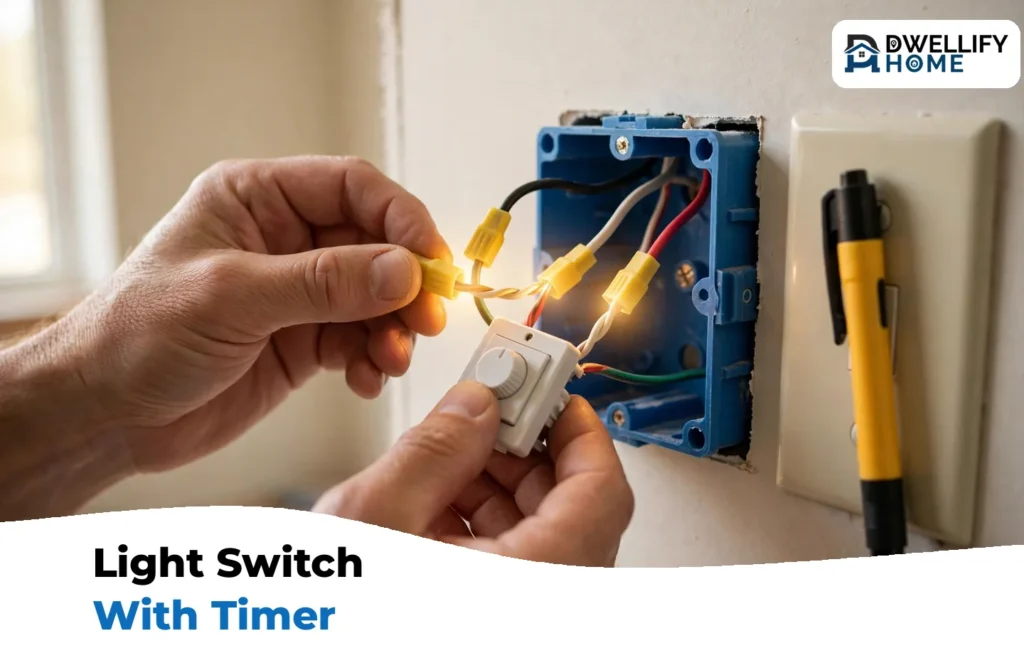
You install a light switch with timer much like a normal switch. Turn the power off at the breaker and prove the wires are dead with a tester. Photograph the old wiring, then connect the timer’s ground, neutral, line, and load wires in that order. Mount the switch, restore power, and set the clock and your on and off times.
Most single-pole swaps take less than an hour. The one thing that can stop the job cold is a missing neutral wire, because a digital timer switch for lights needs a trickle of power around the clock to run its clock and memory. Many older homes do not have a neutral in the switch box. This guide shows you how to check for one before you disconnect anything, what to do if it is missing, and how to program the switch once it is in.
What You Need: Tools and Materials
Gather everything first. You do not want the box open while you hunt for a tool.
- The timer switch itself, rated for your circuit and bulb type
- Flathead and Phillips screwdrivers
- A non-contact voltage tester, or a multimeter
- Wire strippers and cutters
- Needle-nose pliers
- Wire connectors (wire nuts), sized for your wires
- Electrical tape
- A phone or camera for wiring photos
- A small flashlight or headlamp, since the room light will be off
Before You Start: Three Quick Checks
A timer is not a straight swap in every home. Run these checks before the old switch comes out, and you will avoid the three failures that send most people back to the store.
- Match the rating. Most home lighting circuits are 15 amps, and a 15-amp timer replaces most standard switches. Check the timer’s label for your bulb type too. It should list LED and CFL loads, not just incandescent.
- Count the switches. This guide covers a single-pole switch, where one switch controls the light. If two switches control the same light, that is a 3-way setup. Only some timers support it, and the wiring is different, so check the box before you buy.
- Know your model type. If you have not chosen a switch yet, our guide to the timer switch explains the types and how to pick one. Come back here when it is in your hand.
Step 1: Turn Off the Power and Prove It Is Off
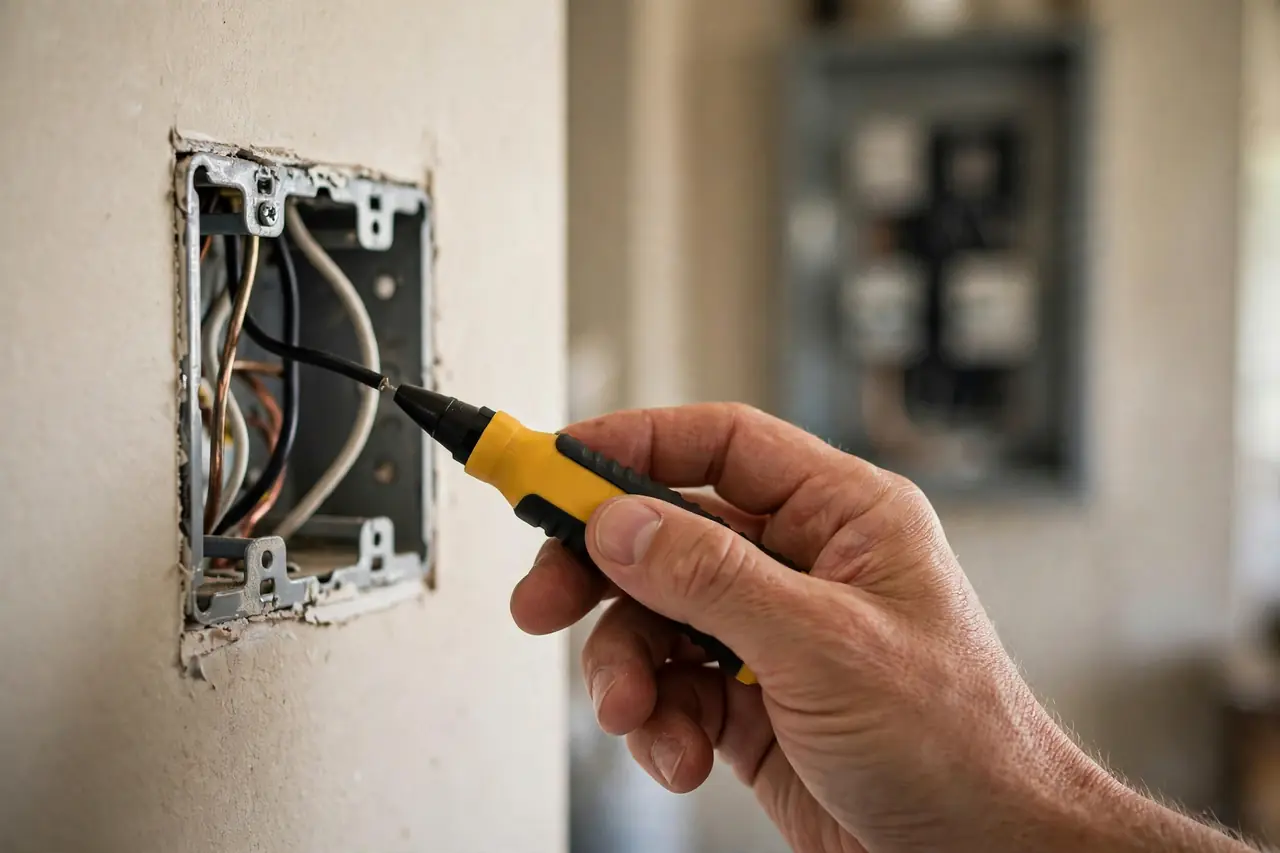
Caution: everything after this point assumes the power is off and tested. Do not skip the test. Breaker labels are wrong often enough that electricians never trust them alone.
- Find the breaker that controls this switch in your panel and flip it off. If the panel is not labeled, plug a lamp into the light’s circuit or turn the light on, then flip breakers until the light goes out.
- Tape a note over the breaker so nobody turns it back on while you work.
- Go back to the switch and flip it on and off. The light should stay dark.
- Remove the cover plate. Hold your non-contact voltage tester near the switch terminals and each wire. It should stay silent and dark. The Electrical Safety Foundation International makes the same point in its DIY electrical safety guidance: always test the wires before you touch them.
- Test the tester itself on a circuit you know is live, like a nearby outlet. A dead tester battery can fake a safe reading.
Only when every test says the wires are dead should your fingers go near them.
Step 2: Open the Box and Check for a Neutral Wire
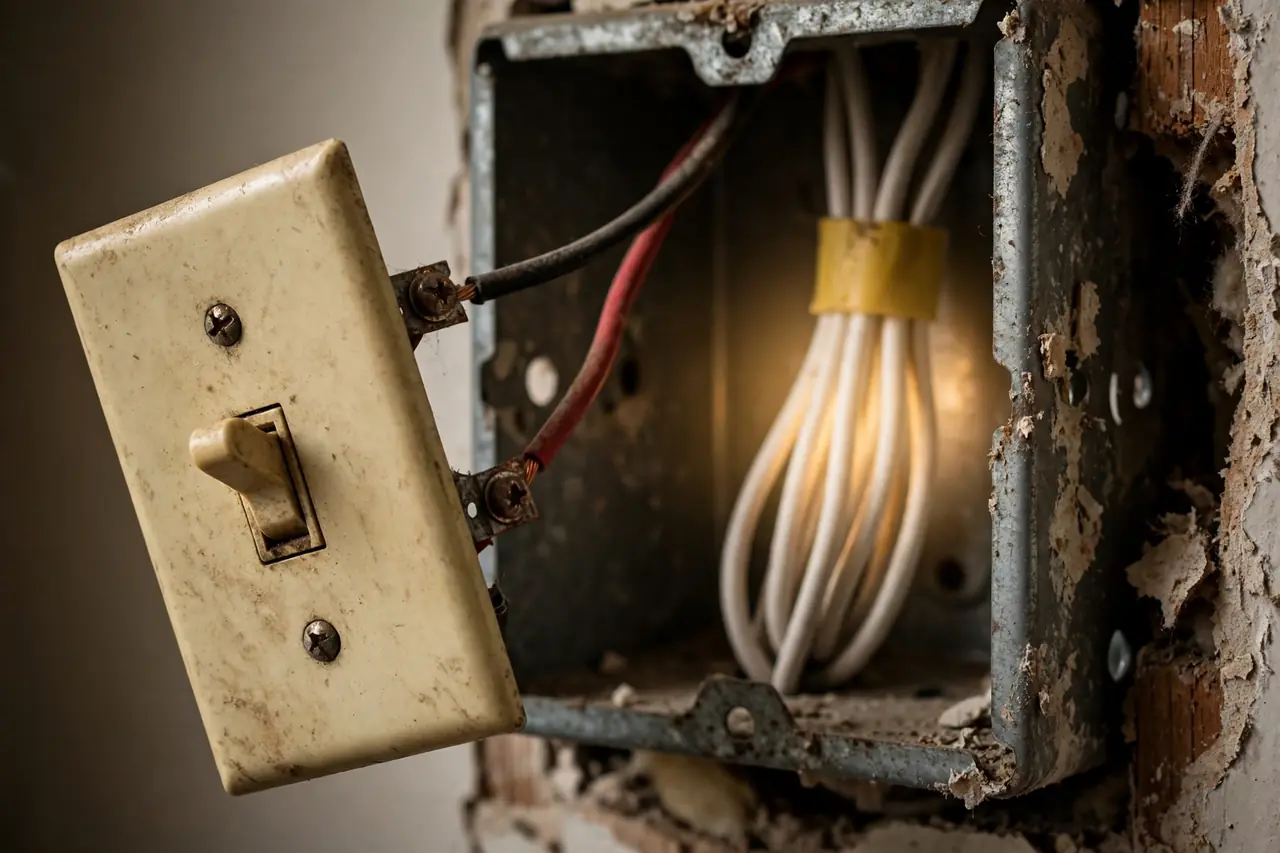
Unscrew the old switch from the box and pull it gently out. Leave the wires attached for now. Look past the switch, into the back of the box.
You are looking for a bundle of white wires joined with a wire connector, tucked in the back and not connected to the switch. That bundle is your neutral, and it is good news. Most digital timers need it. For example, the Honeywell Home RPLS740B manual states plainly that the switch cannot be used if there is no neutral wire in the box.
Why is a neutral often missing? In older homes, power ran to the light fixture first, and only the hot wire looped down to the switch. Electricians call this a switch loop. The 2011 National Electrical Code, section 404.2(C), began requiring a neutral at most switch locations, so homes wired or remodeled after that point usually have one. One warning sign: a lone white wire connected to the switch, sometimes wrapped with black tape. In a switch loop that white wire is a hot wire in disguise, not a neutral. Treat it as hot.
What to Do If There Is No Neutral Wire
No neutral does not end the project. It changes which timer you can use.
- Use a no-neutral timer. Battery-powered models keep their clock running on a replaceable battery, so they do not need a neutral at all. The Intermatic ST01 is the classic example: Intermatic’s ST01 technical data sheet lists no neutral required, a replaceable CR2 lithium battery for timekeeping, and up to 40 on/off events per week.
- Use a mechanical timer. A dial model has no clock electronics to feed, so many work fine on two wires. Our guide to the mechanical timer switch covers how they work and where they fit best.
- Have an electrician add a neutral. This is the clean fix if you want a specific digital or smart model, but it means new cable runs. Get a quote before you commit.
One thing never to do: do not connect the timer’s neutral wire to the ground wire or the metal box to fake a neutral. That puts return current on the safety ground, which is a code violation and a shock risk. If none of the options above work for you, that is an electrician’s job, not a shortcut.
Step 3: Photograph and Label the Old Wiring
Before anything comes apart, take clear photos of the switch from two or three angles. Show every wire, which terminal it lands on, and any wire bundles in the back of the box. If a wire’s color looks odd, note it on a scrap of paper.
This photo is your undo button. If the new switch behaves strangely later, the photo proves what the original setup looked like, for you or for an electrician. Many timers also wire differently from the old switch, so the photo matters more than your memory of it.
Now decide which wire is which:
- Ground: bare copper or green, attached to a green screw or a green wire.
- Neutral: the white bundle in the back of the box, capped with a connector (if present).
- Line: the hot wire bringing power from the panel. It is live whenever the breaker is on.
- Load: the wire carrying power from the switch up to the light. It is live only when the switch is on.
Telling line from load is the step people rush, and timers care about it because many use a relay that only works in one direction. If you want certainty, here is the safe way to check before you disconnect: with the old switch still wired and the wires not touching anything, turn the breaker back on briefly and touch your tester to each of the two switch wires. The one that reads live with the switch off is the line. Then turn the breaker off again and re-test before you touch anything. If that test makes you nervous, skip it: your photo shows each wire’s terminal, and most timer manuals explain how to match from there. When in doubt, have an electrician identify them — it is a five-minute job for a pro.
Step 4: Connect the Timer Switch Wires
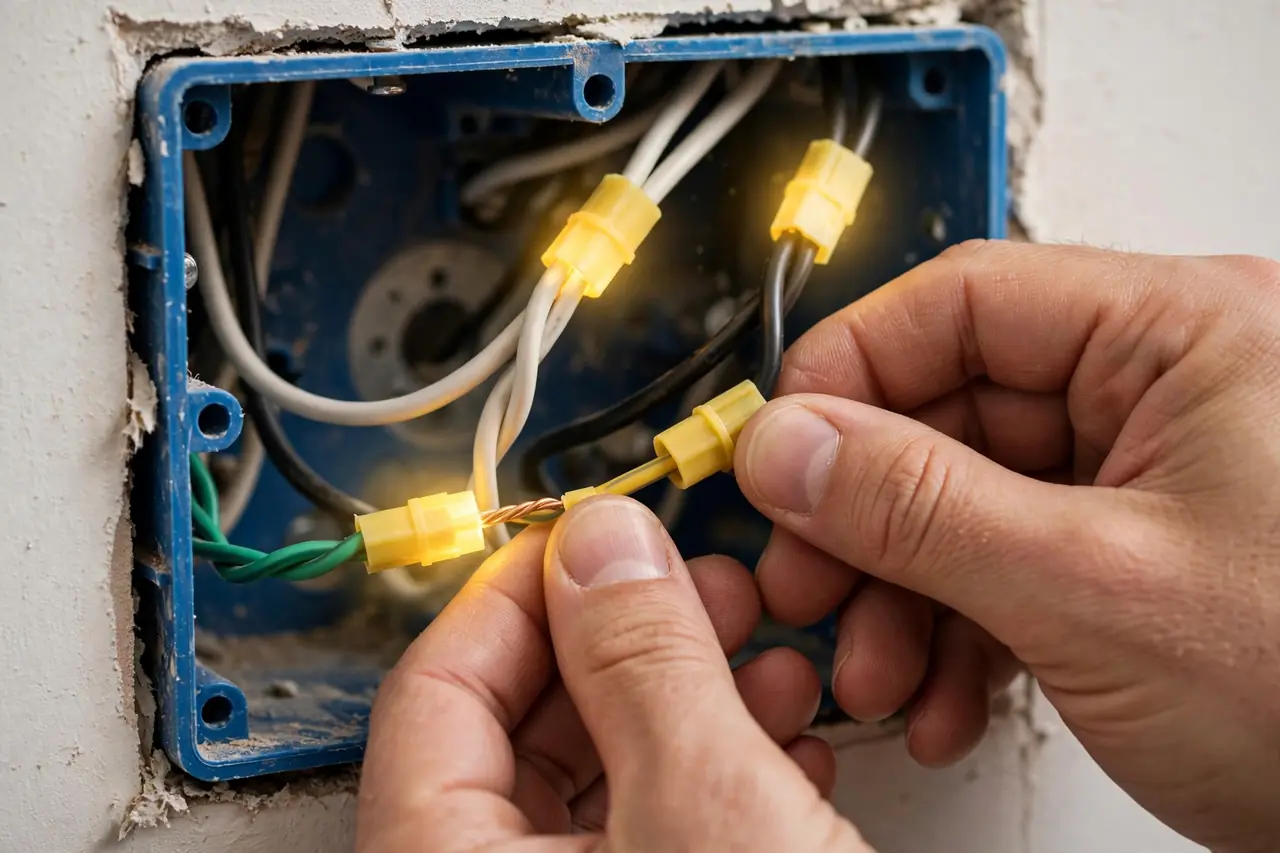
Caution: the breaker must be off again before your hands go back in the box. If you turned it on for the line test above, turn it off and re-test every wire now.
Disconnect the old switch, one wire at a time, and connect the timer in this order:
- Ground first. Join the timer’s green or bare ground wire to the bare copper ground in the box with a wire connector, or land it on the ground screw.
- Neutral second. Remove the connector from the white bundle, add the timer’s white neutral wire to the bundle, and refit a connector that fits all the wires. Every wire in the bundle must be gripped.
- Line third. Connect the timer’s line wire to the hot wire you identified. On many timers the line lead is black, but always follow the label, not the color.
- Load last. Connect the remaining timer lead to the wire that runs to the light. Colors vary by brand: on the Honeywell RPLS740B, the leads are black for line, blue for load, and white for neutral, as shown in the RPLS740B user guide.
- Tug-test every connection. Pull each wire gently. A wire that slides out of a connector would have failed in the wall. If a wire end is nicked or chewed up, cut it back and strip about 3/4 inch of fresh copper.
If your timer uses screw terminals instead of wire leads, wrap each wire clockwise around its screw so the tightening screw pulls the wire in, not out.
Step 5: Mount the Switch and Restore Power
Fold the wires into the box in a gentle zigzag, with the connectors pointing to the back. Do not force the switch in against a hard bundle; a pinched wire today is a fault next year. If the box is crowded, rearrange the folds rather than pushing harder. Deep timer bodies in shallow old boxes are a tight fit, and that is normal.
- Screw the timer to the box, top and bottom, snug but not forced.
- Fit the cover plate.
- Turn the breaker back on.
- Press the timer’s manual button or door. The light should turn on and off. If the display is blank or the light does not respond, turn the breaker off and check the troubleshooting table below before you rewire anything.
How to Program Your Timer Switch
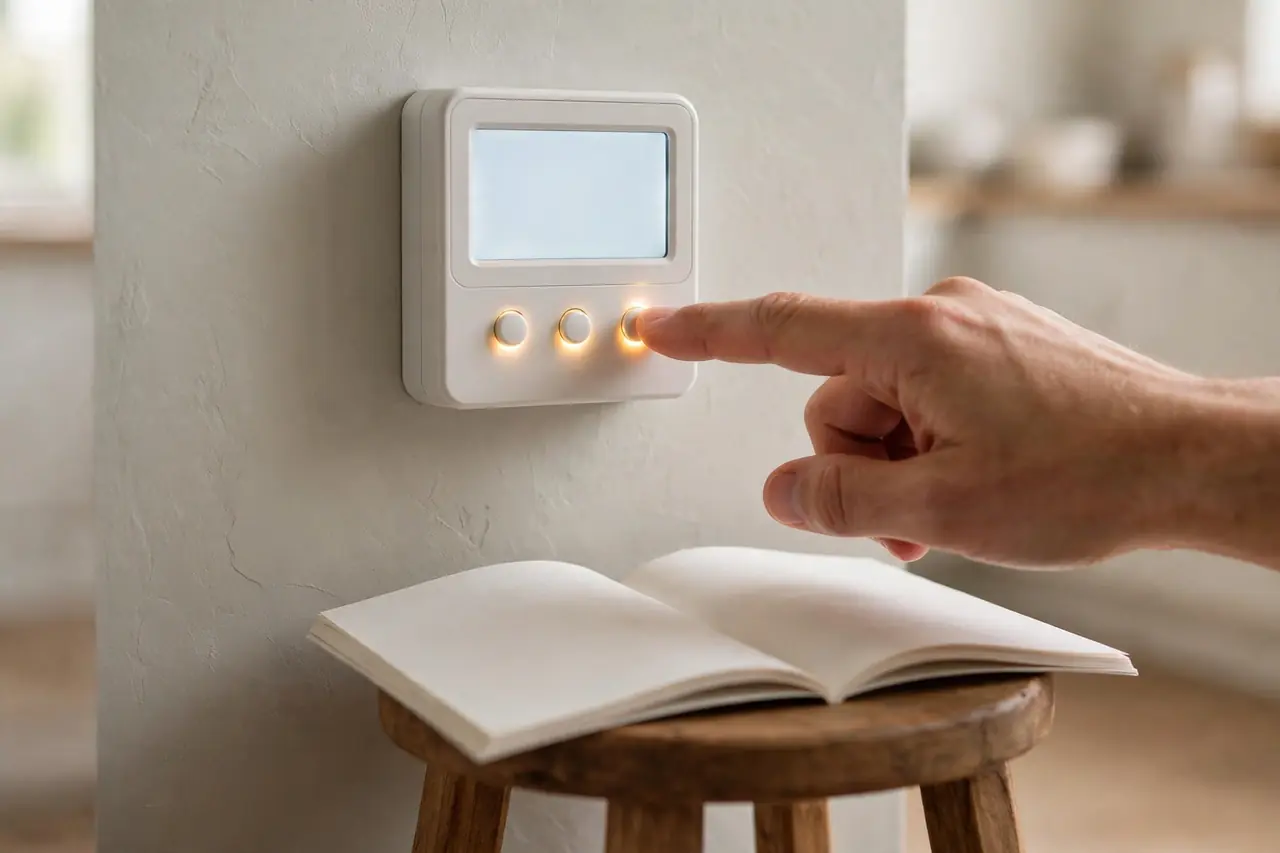
Wiring done, the switch still needs to be told the time and your schedule. The buttons are small on most models, so work in good light and keep the manual open. The order below works on almost every digital timer, whatever the brand.
Set the Clock and Date First
Every program runs off the clock, so set the time, day, and date before anything else. Double-check AM and PM. A timer set 12 hours off is the single most common reason lights come on at breakfast instead of dusk. Some models also ask for your time zone or location, which the sunset feature depends on.
Set Your On and Off Times
Add your first program: pick the days, set an on time, then set an off time. A porch light might come on at 7:00 PM and go off at 11:00 PM on weekdays, with a later off time on weekends. Most 7-day timers hold many programs — the Intermatic ST01 holds up to 40 on/off events per week — so you rarely need to compromise. Leave the manual override in mind too: pressing the switch’s button or door usually overrides the schedule until the next programmed event, which is what you want when you come home early.
Use Astronomic Mode So the Timer Tracks Sunset
Fixed times go stale as the seasons change. Astronomic mode fixes that: the timer calculates sunrise and sunset for your area and shifts with them, so the porch light always lands at dusk. On solar timers like the Honeywell RPLS740B, you set your latitude and longitude (or pick the nearest city), and the default program turns lights on at sunset and off at 11:00 PM. Models with automatic daylight saving adjustment, like the ST01, also move the clock forward and back on their own. If your sunset times look an hour off, the daylight saving setting is the first thing to check.
Turn On Random Mode When You Travel
Random mode, sometimes called vacation mode, jitters your on and off times by a few minutes to about half an hour each day. The house looks lived in instead of clockwork. Turn it on when you travel, and turn it off when you get home, because the same randomness that fools watchers will annoy you at dinner time.
Run These Success Checks Before You Call It Done
- Watch one full cycle: the light turns on at the programmed time without you touching anything.
- Press the manual override, then confirm the timer returns to its schedule at the next event.
- Check the display shows the right day, not just the right time.
- If your model has astronomic mode on, confirm the sunset time it shows is close to the real sunset for your town.
- Note your model’s battery type, if any, write the install date on the manual, and keep the manual near the panel.
Troubleshooting: Fixes Safest and Cheapest First

Most timer problems are settings, not wiring. Work down this table in order, and turn the breaker off and re-test before you open the box for any fix that touches wires.
Timer switch troubleshooting: symptom, likely cause, and first fix
| Symptom | Likely cause | First fix |
|---|---|---|
| Display is blank, switch does nothing | No power reaching the timer, a dead backup battery on a battery model, or the neutral is not connected | Check the breaker and the light’s own switch or bulb first. Then, power off, open the box and confirm the neutral and line connections are tight |
| Manual button works, but programs never run | The timer is still in manual mode, or the clock is set 12 hours off | Set the mode to Auto (and Random only when you travel). Re-check AM and PM on the clock |
| Light never turns on at all | Line and load wires are swapped, or a connection is loose | Power off, then compare your wiring photo with the timer’s diagram. Swap line and load only if the manual confirms they are reversed, and tug-test each connector |
| LED lights flicker or flash when the timer is off | A no-neutral timer feeds its own electronics with a tiny current through the bulb. That current slowly charges the LED driver until it flashes | Check the timer’s minimum load and add a bulb if the load is too small. Fit the bypass module the maker supplies, if one is offered. If it persists, move to a neutral-connected model |
| Timer loses the time after a power outage | The backup battery is dead or missing, or the model has no backup at all | Replace the backup battery (a CR2 lithium cell on the Intermatic ST01, which Intermatic rates for years of timekeeping). On models without a battery, the clock must be reset after each outage, though most keep your programs in memory |
| Switch hums or buzzes | An incompatible bulb type, a load below the timer’s minimum, or a loose connection warming up | Try a bulb the timer lists as compatible. If the hum stays, power off and check every connection is tight. A switch that is warm to the touch or smells is not a DIY fix — call an electrician |
| Light comes on at the wrong times | Daylight saving setting is off, the date is wrong, or astronomic mode has the wrong location | Correct the date and daylight saving setting first. Then re-set your location or coordinates for astronomic mode |
When to Hire a Licensed Electrician
A like-for-like switch swap is a common DIY job, but some boxes should stop you on sight. Hire a licensed electrician if you find any of these:
- No neutral wire, and you are not confident fitting a no-neutral or battery model
- Aluminum branch wiring (common in homes wired in the late 1960s and early 1970s), which needs rated connectors and extra care
- Scorched, melted, or brittle insulation, or a burning smell from the box
- A 3-way setup where the wires do not match any diagram in the timer’s manual
- Wires you cannot identify after the photo and tester checks
- A breaker that trips when you restore power, or a switch that runs warm
An electrician will typically finish a straightforward timer swap quickly, and their visit also answers the neutral question for every other switch you may upgrade later.
Disclaimer
This guide covers a like-for-like switch replacement for general information. Homes, wiring ages, and local codes vary, and no guide can see inside your wall box. If anything you find differs from what is described here, or you are unsure at any step, stop and use a licensed electrician for the electrical work.
Related Guides
- how to choose a smart home electrician — For wired installs that go beyond a simple swap.
- hallway lighting ideas — Planning the lighting itself, not just the switch.
- DIY smart home automation guide — Go further with whole-home routines and schedules.
Frequently Asked Questions
Do all timer switches require a neutral wire?
No. Most modern digital timers do need one, because their clock and display draw power all day. But battery-powered models, like the Intermatic ST01, and many mechanical dial timers are built to work without a neutral. Check the requirement on the box before you buy, or check your switch box for the white neutral bundle first.
What if my box doesn’t have a neutral wire?
You have three good options. Fit a timer designed for no-neutral use, choose a mechanical timer, or have an electrician run a neutral to the box. What you should not do is connect the timer’s neutral to the ground wire. That misuses the safety ground and creates a shock risk.
Can I install a timer switch myself?
Yes, if one switch controls the light, your box has the wires your timer needs, and you are comfortable turning off the breaker and testing wires before touching them. The swap itself is four connections and two screws. If you find aluminum wiring, damage, or wires you cannot identify, that is the point to hand it to a licensed electrician.
Why does my LED light flash when the smart switch is off?
The same thing happens with no-neutral timer switches. With no neutral, the switch keeps its electronics alive by leaking a tiny current through the bulb. An LED driver stores that current in a capacitor until it reaches start voltage, flashes once, and starts over. A maker-supplied bypass module, a larger load, or a neutral-connected switch usually ends it.
Are timer switches better than smart switches?
Neither is better for everyone. A timer switch is simple, cheap, and keeps working with no Wi-Fi, no app, and no account, which suits porch and security lights well. A smart switch adds phone control and voice assistants. If you want app control without rewiring a wall switch, a smart plug that works with Google Home can automate a lamp the same way.
Your next step is simple: tonight, set one program and watch it fire. Once the light comes on by itself at dusk, the job is truly done. If the switch controls a lamp-heavy room instead, or you rent and cannot touch the wiring, a plug-in timer outlet gives you the same schedule with no wiring at all. At DwellifyHome, that is the whole point of the timer cluster: the right timer, on the right device, set once and forgotten.