A mechanical timer switch turns lights and appliances on and off on the same schedule every day, using a small clock motor and physical pins instead of a screen or an app. You turn a dial to the current time, push pins in for the hours you want power on, and the timer repeats that pattern every 24 hours. There is no battery to die, no Wi-Fi to set up, and no menu to learn.
At DwellifyHome, this guide covers the mechanical kind only, and in depth: how the motor, dial, and pins actually work, how the plug-in, in-wall, and heavy-duty forms differ, how to set one without the usual mistakes, and where its limits honestly sit next to a digital timer. Choose it when your routine is simple and daily — a porch light, a fan, holiday lights — and you want the schedule set once and left alone.
What a Mechanical Timer Switch Is and How It Works
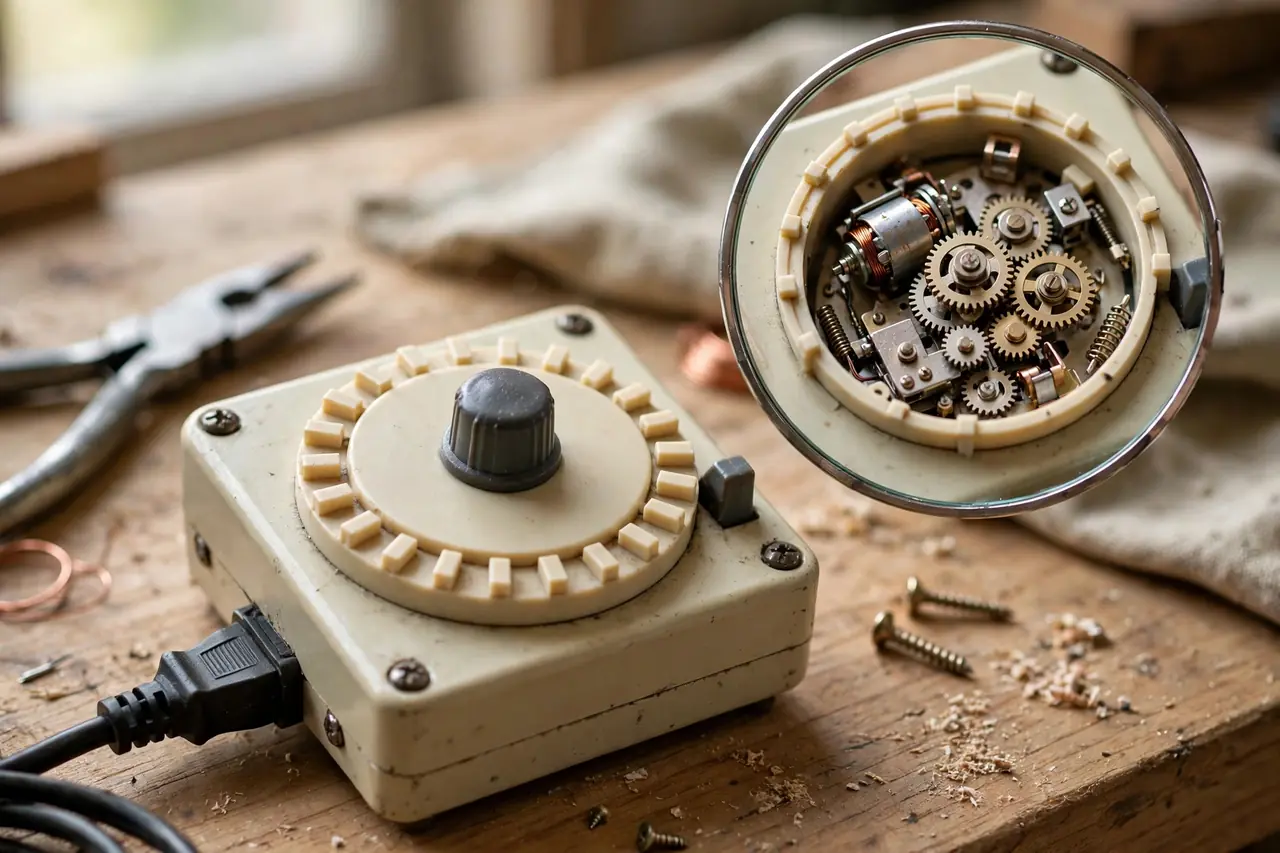
A mechanical timer switch is a clock and a switch sharing one body. The clock side is a small electric motor that turns a 24-hour dial. The switch side is a set of contacts that open and close the circuit. Your pins or trippers are the bridge between them: as the dial rotates past a fixed point inside the housing, each pin you set pushes a small lever that flips those contacts on or off.
The Clock Motor and Gear Train
Inside every mechanical timer switch, a small AC synchronous motor drives a gear train that rotates the dial exactly once per day. A synchronous motor locks its speed to the frequency of the wall power, so the dial keeps good time as long as the timer has power — Intermatic’s heavy-duty T101, for example, draws a maximum of 3 watts to run its clock motor. There is no battery backup. If the power goes out, the dial stops where it is, and when power returns the timer simply runs late by the length of the outage until you reset the time.
Pins, Segments, and Trippers
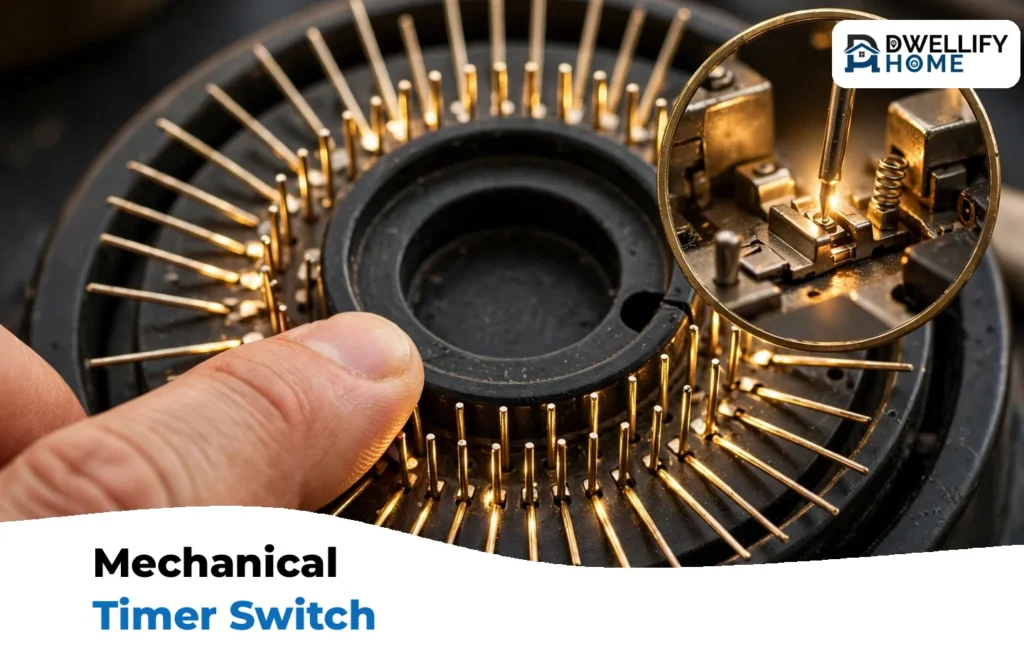
Timers are programmed in one of two physical ways. Most plug-in models have built-in pins or segments around the dial. Each segment stands for 15 minutes on fine dials (96 segments a day) or 30 minutes on coarser ones (48 a day). On most models you push the segments down for ON and leave them up for OFF, but a few brands work the other way, so check the arrows printed on your dial. The second style uses removable trippers — small clips you push into slots at the ON and OFF times, like the Intermatic TN311 plug-in timer and the T101 time switch. Either way, your whole day’s schedule is visible at a glance, with no screen to wake up.
The Three Forms of a Mechanical Timer Switch
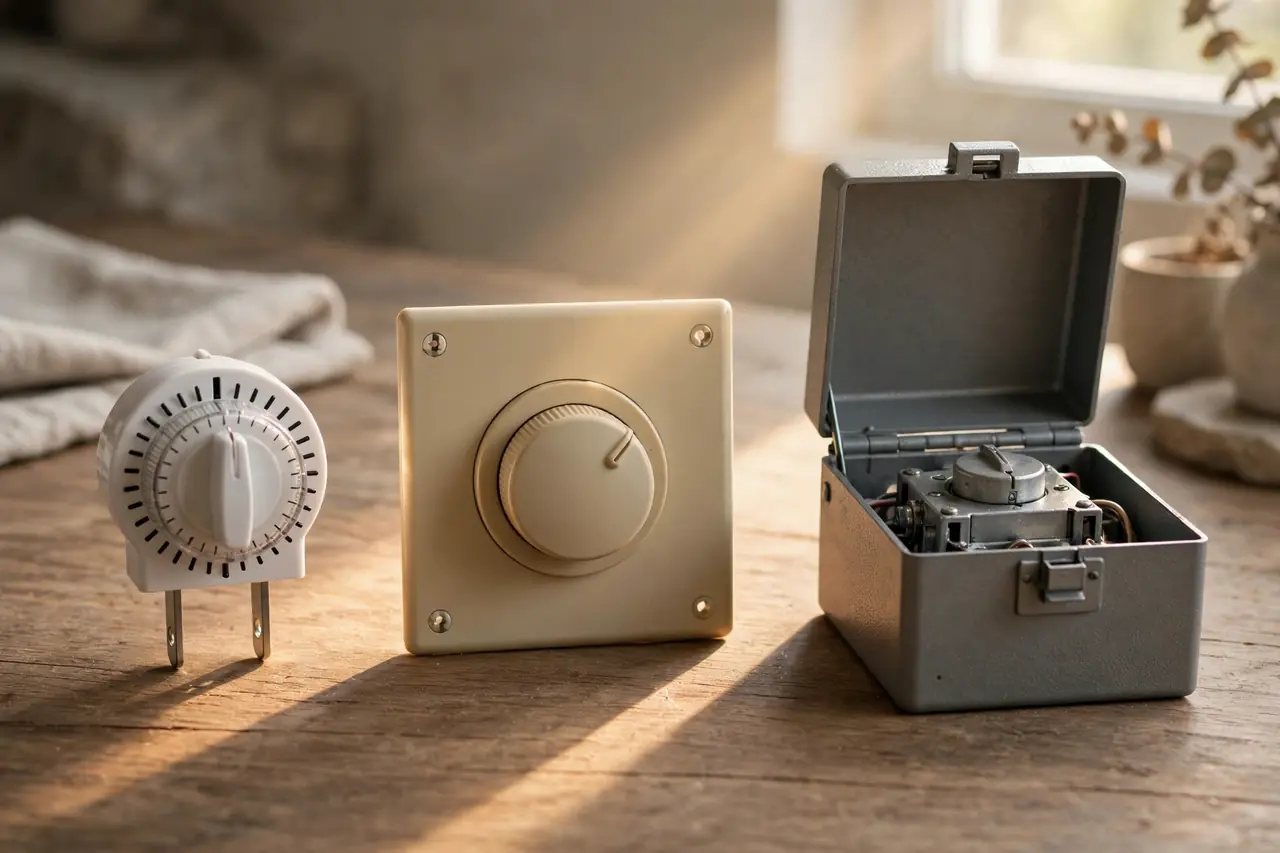
The mechanism is the same in all three forms; only the body and the wiring change. If you want the whole timer family — digital and smart included — compared in one place, our pillar guide to the timer switch covers that. Here, the focus stays on the mechanical branch.
Plug-In Pin Timers
This is the form most people meet first. The timer plugs into a wall outlet, and your lamp or appliance plugs into the timer. Nothing is wired, so it suits renters and any job that might move. The Intermatic TN311 is a typical example: a grounded plug-in timer with removable trippers, 3 ON and 3 OFF settings per day, and a minimum of 30 minutes between events, listed at $24.51 on Intermatic’s site (checked October 20, 2026). For a deeper look at plug-in models and what to pay for them, see our guide to the timer outlet.
In-Wall Mechanical Timers
An in-wall mechanical timer replaces a standard wall switch, so it controls whatever that switch controlled — most often porch and entry lights — with the dial sitting behind a small door in the wall plate. The TORK 701B is a current example, a 24-hour in-wall mechanical time switch rated at 20 amps, sold at $99.55 by ibspot (checked October 20, 2026). Because this form is wired into the circuit, it means working inside a switch box: turn the breaker off and test that the power is dead before you touch a wire, and if you are not fully confident, this is a job for a licensed electrician. Our guide to the light switch with timer explains the in-wall options in more detail.
Heavy-Duty Time Switch Boxes
The third form is a metal or weatherproof box with a big dial and metal trippers, wired directly to a circuit. The classic example is the Intermatic T101: it handles up to 12 ON/OFF operations a day with a minimum one-hour interval, is rated at 40 amps resistive and for motors up to 2 HP at 120 volts, and has a manual override lever — Home Depot lists the T101 mechanism at $69.98 (checked October 20, 2026). This is the form that runs pool pumps, water heaters, and big ventilation fans, and it is installed by an electrician or a very experienced DIYer.
The three forms of mechanical timer switch, compared:
| Form | How it installs | Typical rating | Best for |
|---|---|---|---|
| Plug-in pin timer | Plugs into an outlet; no wiring | 15 A, 1,750 W (TN311) | Lamps, holiday lights, fans |
| In-wall mechanical timer | Replaces a wall switch; mains wiring | 15–20 A (TORK 701B: 20 A) | Porch and entry lights |
| Heavy-duty time switch box | Wired to the circuit in its own enclosure | 40 A; motors to 2 HP (T101) | Pool pumps, water heaters, large fans |
How to Set a Mechanical Timer Switch, Step by Step
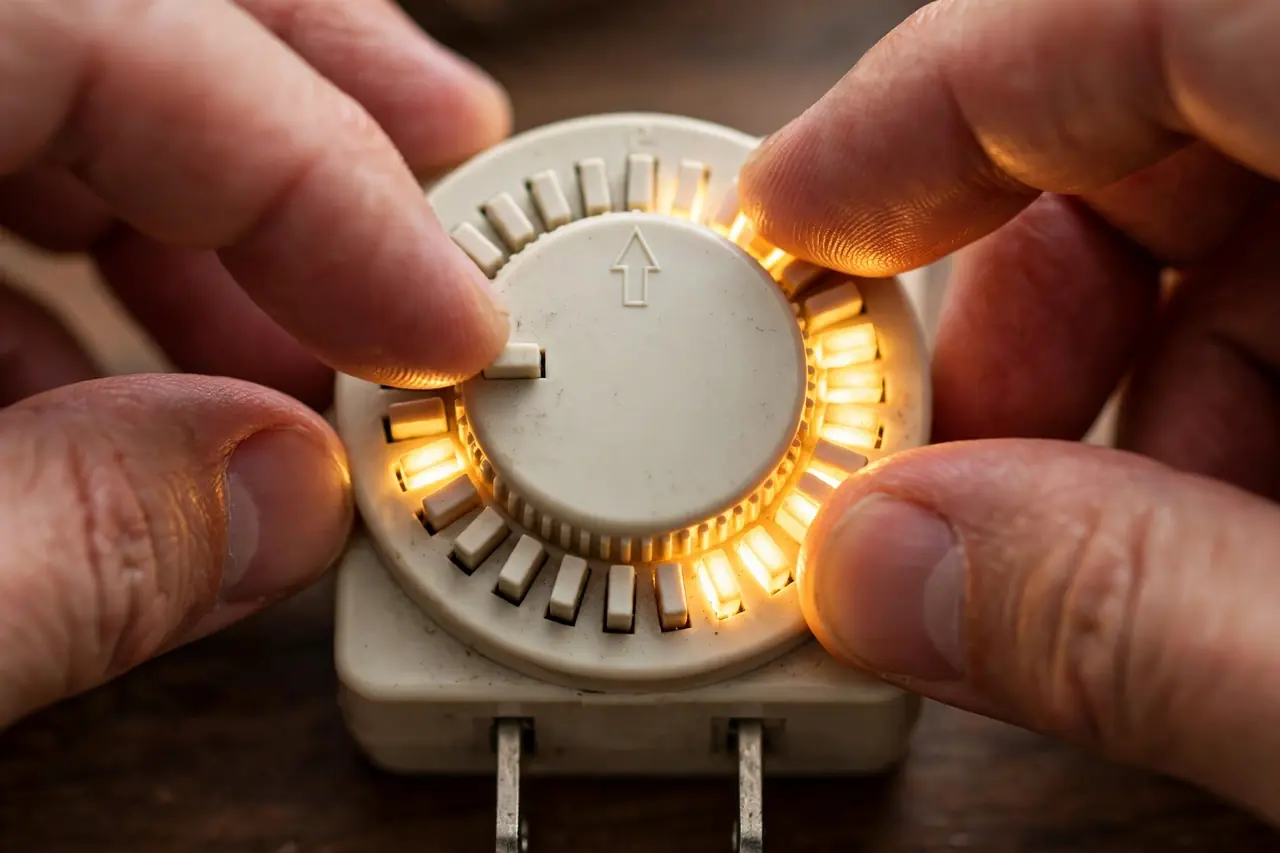
Setting a plug-in pin timer takes about two minutes, and the dial on an in-wall or box timer works the same way once it is installed. Work through these steps in order:
- Clear the old schedule. Pull every pin up (or remove the trippers) so you start from a blank day and no leftover setting surprises you.
- Set your ON block. Push down the pins for the whole period you want power on. For a porch light from 6 p.m. to 11 p.m., that is ten 30-minute pins or twenty 15-minute pins in a row. With trippers, push one ON tripper into the start slot and one OFF tripper into the stop slot, seated firmly against the dial.
- Set the current time. Turn the dial clockwise only, until the arrow or “Time Now” marker points at the actual time. Mind the AM/PM shading — most dials print the night hours on a dark background, and mixing them up is the easiest mistake to make.
- Move the override switch to TIMER. It may be marked TIMER, AUTO, or with a clock symbol. Leave it on ON and the device runs around the clock, ignoring your pins completely.
- Plug everything in, in the right order. Timer into the wall outlet first, then the device into the timer — and switch the device itself on, or the timer has nothing to control.
- Test one switch point. Wait for the next ON or OFF time, or turn the dial slowly forward by hand until a pin reaches the marker, and confirm the device clicks on or off as expected. Then reset the current time if you moved the dial.
Success check: after one full day, the device should have followed your pins exactly. If it ran at the wrong hours, the fault is almost always one of three things — the override left on ON, AM and PM swapped at setup, or pins pressed only halfway so the lever missed them.
Mechanical vs Digital Timers: An Honest Comparison
A digital timer does the same job with a battery-backed clock, a small screen, and buttons. Neither type wins everywhere, and the honest trade looks like this:
Mechanical and digital timer switches, compared:
| Feature | Mechanical timer | Digital timer |
|---|---|---|
| Setting it | Push pins; the whole day is visible at once | Menus and buttons on a small screen |
| Smallest interval | 15 or 30 minutes | 1 minute |
| Schedules | Same pattern every day (24-hour dial) | Different days, weekdays vs weekends |
| Power outage | Pins keep the pattern; clock stops and runs late | Battery backup usually holds time and settings |
| Noise | Faint motor hum or ticking on many models | Silent |
| Daylight saving | You turn the dial one hour, twice a year | Some models adjust automatically |
| Sunset tracking | None — a fixed clock time only | Astronomic models follow sunset as seasons change |
Pick digital when you need different weekday and weekend schedules, one-minute precision, or lights that follow sunset through the year. Pick mechanical when the routine is the same every day and you value a control you can set with cold fingers, in the dark, without instructions. And if what you really want is to change the schedule from your phone, neither is the tool — that is a smart plug’s job, covered in our guide to what works with Google Home smart plug options.
Best Jobs for a Mechanical Timer
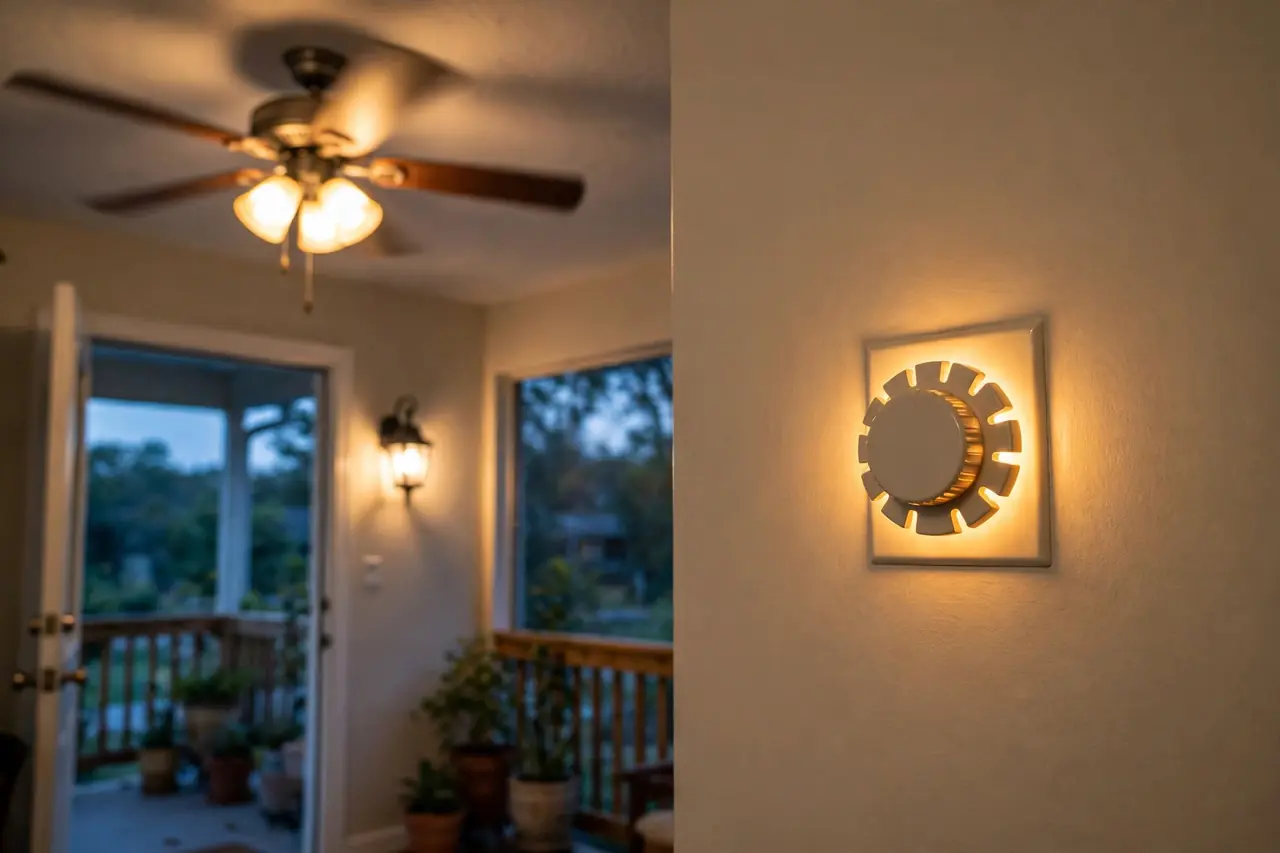
A mechanical timer switch shines on loads that run the same hours every day and forgive a 15-minute margin. The jobs it does best:
- Porch and entry lights. On at dusk-time, off at bedtime, every night — the classic in-wall or plug-in job, and it makes an empty house look lived in.
- Holiday lights. One plug-in timer runs the whole string display for the season, and nobody has to go out in the cold to switch it off.
- Fans and air circulators. Run a fan through the warm part of the day and rest it overnight, without touching it.
- Small heaters, carefully. Only within the timer’s rating, and only if the heater’s own manual allows timer use — many heater manuals say plug directly into a wall outlet, and that instruction wins.
- Pool pumps and equipment. A heavy-duty box timer like the T101 exists for this: a pump that must run the same hours daily, on a circuit nothing else shares.
- Lamps on a lived-in schedule. A plug-in timer on one or two lamps is the cheapest occupancy routine there is.
It does these jobs badly: anything that needs a different weekend pattern, precision to the minute, or lights that track sunset in June and December with one setting. Those limits are built into the 24-hour dial, not a flaw in a particular model.
Load Limits and Safety: Check the Rating Before You Plug In

Every timer carries more than one rating, and the difference matters. The resistive rating covers loads like heaters and old incandescent bulbs that draw a steady current. The motor (inductive) rating is lower, because a motor pulls a heavy surge of current for a moment when it starts. A fan or pump that looks fine on watts can still overload a timer on startup if you only read the resistive number.
Real labels make this concrete. The plug-in Intermatic TN311 is rated 15 amps and 1,750 watts maximum. The heavy-duty Intermatic T101 is rated 40 amps resistive but quotes its motor limit separately, at 2 HP at 120 volts. Before you connect anything:
- Add up the watts of everything plugged into the timer, and keep the total under its rating — leave headroom rather than running at the limit all day.
- For motors, pumps, and fans, match against the motor or HP rating, not the resistive one.
- Use an indoor timer indoors only. Outdoor jobs need an outdoor-rated timer in a weatherproof housing.
- Never run a load the timer was not built for: a plug-in pin timer is not a pool pump or water heater control, whatever the dial says.
Safety Note
Plug-in timers are low-risk: you are only plugging and unplugging. In-wall and box timers are different — they are mains wiring. Turn the breaker off and test that the power is dead before opening a switch box, and hire a licensed electrician if you are not fully confident. Ratings and setting markings differ by model, so the manual for your exact timer is the final word.
Related Guides
- outdoor string lights guide — Timers and outdoor lighting are a classic pairing.
- DIY smart home automation guide — Go further with whole-home routines and schedules.
Frequently Asked Questions
Why is my plug in timer not turning on or off at the right times?
Three causes cover almost every case. The override switch is left on ON or OUTLET ON, so the schedule is bypassed. The current time was set to the wrong half of the day — AM and PM swapped. Or the pins are not fully pushed, so the lever passes them by. Check those three, in that order, before suspecting the timer itself.
Why does my timer turn on at the wrong time?
Usually the dial is simply showing the wrong current time: it may have been set carelessly, or a power outage stopped the clock and everything since runs late by that amount. Trippers pushed into the wrong slots and AM/PM confusion on the shaded half of the dial cause the same symptom. Reset the time of day first, then re-check the pin positions.
What happens to my timer settings after a power outage?
Your schedule survives, because it lives in the physical pins — there is nothing electronic to erase. What you lose is the time itself: the clock motor stops during the outage, so afterwards the whole pattern runs late by however long the power was out. Turn the dial clockwise back to the correct current time and the timer is fully restored.
Can I use an indoor plug in timer outside?
No. An indoor timer has no sealing against rain or dew, and moisture inside a live outlet device is a shock and short-circuit risk. Outdoor jobs need a timer built for it, with a weather-resistant housing and a rating for outdoor use, hung so water runs away from the outlets rather than into them. Outdoor versions of the same pin timer cost only a little more.
How do I know if my timer can handle my appliance?
Find the appliance’s watts or amps on its own label and compare with the timer’s rating for that kind of load — the resistive figure for heaters and bulbs, the motor or HP figure for pumps and fans. Keep the total under the rating with some headroom. If the appliance label lists only amps, multiply amps by 120 volts to get an approximate watt figure.
Should I replace a mechanical timer with a digital timer?
Only if the dial is the thing limiting you: you need different times on different days, one-minute precision, sunset tracking, or a clock that survives outages on battery backup. If your load runs the same hours every day, a working mechanical timer is not outdated — it is matched to the job, and replacing it buys features you will never open.
Your next step is simple: pick the form that matches the job — plug-in for anything that plugs in, in-wall for a light switch you already use, the heavy-duty box for pumps and heaters on their own circuit — set the pins once, and let the dial do the remembering. If you are still weighing the wider field, our timer switch guide compares every type, and the timer outlet guide goes deeper on plug-in models.