A remote light switch lets you turn your existing lights on and off from a handheld remote or an extra wall switch, without replacing any bulbs. A small receiver connects at the light fixture or in place of your wall switch, and the remote sends it a wireless signal. Most homes can add one in under an hour, and renters have options that need no wiring at all.
There are four main ways to do it: a wireless switch and receiver kit, a screw-in or plug-in remote kit, a smart switch replacement with its own remote, and a no-neutral smart switch for older homes. This guide explains how each type works, how it installs, how far the signal really reaches, and how to choose the right one for your room.
How a Remote Light Switch Works
Every remote light switch has two parts. The first part is the receiver. It does the actual work of cutting and restoring power to the light, and it sits at the fixture, tucked inside the ceiling canopy, or in place of your old wall switch.
The second part is the transmitter: the remote control or stick-on wall switch you press. When you press it, it sends a short radio signal. The receiver hears that signal and switches the light on or off, exactly as if you had flipped a wired switch.
Because the signal travels by radio, the remote never needs to “see” the light. Radio frequency (RF) signals pass through walls and doors, which is why you can switch off a bedroom light from the bed or turn on a porch light without stepping outside.
The part you press needs very little power. Most remotes and wireless wall switches run on a small battery that lasts for years. Some are kinetic, which means the click of the button itself creates the tiny burst of energy the signal needs, so there is no battery to replace at all.
The Main Types of Remote Light Switches

The four types below all control the lights you already own. They differ in where the receiver goes, how much wiring is involved, and whether you also get app or voice control.
Remote light switch types compared
| Type | How it controls the light | Wiring needed | Best for |
|---|---|---|---|
| Wireless wall switch and receiver kit | Receiver wired at the fixture; battery or kinetic wall switch sticks anywhere | Receiver connects to the fixture wires; no new wall wiring | Adding a switch where none exists; easy 3-way control |
| Screw-in socket remote | Adapter screws between the socket and the bulb | None | Pull-chain lights in basements, closets, and garages |
| Plug-in remote module | Module plugs into an outlet and the lamp plugs into the module | None | Table lamps and floor lamps |
| Smart switch replacement | New in-wall switch with a paired wireless remote, plus app and voice options | Replaces the existing wall switch | Owners who want remote, app, and voice control together |
| No-neutral smart switch | In-wall switch powered by a tiny current through the light itself | Replaces the existing switch; no neutral wire required | Older homes with no neutral wire in the switch box |
Wireless Wall Switch and Receiver Kits
This is the classic remote light switch kit, and the most flexible option for wired ceiling and wall lights. The receiver wires in between the power supply and the fixture. The wireless wall switch then mounts wherever you want it, with screws or adhesive, and never touches a wire.
Because the second switch needs no wiring, these kits are the easiest way to create 3-way control — one light worked from two spots — without running traveler wires through the wall. Most kits arrive pre-paired, so the switch works with the receiver right out of the box, and you can add extra remotes or receivers of the same model later.
As a price reference, the DEWENWILS Wireless Remote Control Light Switch and Receiver Kit (model HRLS11F1) was $18.99 at Home Depot when checked on October 21, 2026. It is rated for a 100 ft RF range in open areas and handles loads up to 1000W tungsten, 600W fluorescent, or 200W LED. Always check the load rating against your own lights before you buy any kit.
Screw-In Socket and Plug-In Remote Kits
If you want zero wiring, start here. A screw-in socket adapter twists into a standard bulb socket, your existing bulb twists into the adapter, and a small remote turns the light on and off. It is the simplest fix for a pull-chain fixture in a basement, attic, or closet, where the chain is awkward or out of reach.
Plug-in remote modules work the same way for lamps: the module goes into the wall outlet, the lamp plugs into the module, and the remote controls the power. That style overlaps with remote-controlled outlets, which we cover in depth in our remote control outlet guide. For wired ceiling and wall lights, though, the receiver kits and smart switches in this guide are the right tools.
Smart Switch Replacements With Wireless Remotes
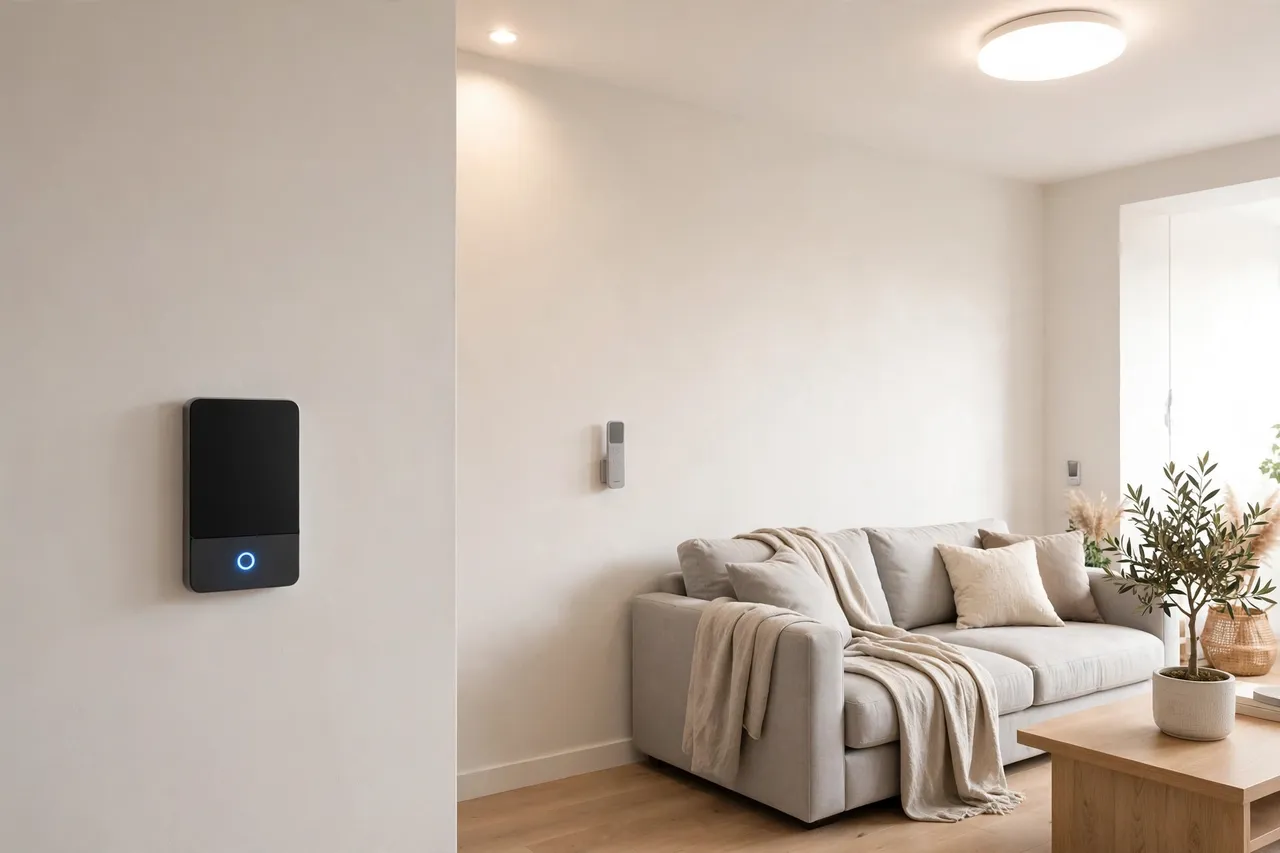
A smart switch replaces your existing wall switch and adds a battery-powered remote that you can carry, set on a table, or mount on any wall. You keep normal control at the wall, gain a second control point anywhere in the room, and can usually add app and voice control with a hub.
Lutron’s Caseta system is the best-known example. The in-wall dimmer needs no neutral wire, and its Pico remote talks directly to the switch over Lutron’s Clear Connect RF signal — no Wi-Fi and no hub required for remote control. According to Lutron, one Pico remote can control up to 10 Caseta dimmers or switches, and its battery lasts a typical 10 years. Adding the Caseta hub later brings in the app, schedules, and voice assistants. Because the remote talks straight to the switch, it keeps working even when your internet is down.
No-Neutral Smart Switches for Older Homes
Most smart switches power their radios from the neutral wire in the switch box. Many older homes do not have a neutral in the box at all, which stops a standard smart switch install cold. No-neutral smart switches solve this by sipping a tiny amount of current through the light fixture itself, even while the light is off.
That trick has one quirk to know about. If the circuit runs a single small LED bulb, the trickle of current can be enough to make the bulb glow faintly or flicker while it is off. The usual fixes are a different compatible bulb, a second bulb on the circuit, or the small bypass capacitor some makers include or sell for this purpose. Check the switch maker’s minimum load and bulb compatibility list before you buy.
How to Install Each Type
The no-wiring options take minutes. The receiver kits and switch replacements involve your home’s wiring, so read the safety box first and follow it every time.
Before You Touch Any Wiring: Safety First
Caution: Before you open any fixture or switch box, turn the power off at the circuit breaker — not just at the wall switch. Then prove the power is off with a non-contact voltage tester. As Mr. Electric’s safety guidance puts it, test the tester itself on a known live source first, then confirm there is no voltage on the wires before you touch them.
Stop and call a licensed electrician if you find aluminum wiring, scorched or crumbling insulation, no ground wire where one is expected, or a box so crowded you cannot identify each wire. If you rent, do not change any wiring without your landlord’s written permission — use the no-wiring options in this guide instead.
Installing a Receiver Kit at the Fixture

- Turn off the breaker for the light and confirm the power is off with a voltage tester.
- Lower the fixture’s canopy or open the junction box so you can reach the supply wires.
- Connect the receiver in line, following the kit’s diagram: supply wires into the receiver’s input side, and the wires running to the light into its output side.
- Tuck the receiver into the canopy or box, making sure no bare wire touches metal, and refit the cover.
- Turn the breaker back on and test the light from the existing switch, if your kit keeps it, and from the wireless switch.
- Mount the wireless wall switch where you want it — beside the bed, by the other door, or at the bottom of the stairs.
If the light does not respond, turn the breaker off again and re-check your connections against the diagram. Most kits also have a pairing button on the receiver; a short press sequence, described in the manual, re-links a switch that has lost its connection.
Replacing a Wall Switch With a Smart Switch
- Turn off the breaker and test that the power is off.
- Remove the wall plate and take a clear photo of how the old switch is wired before you disconnect anything.
- Disconnect the old switch and connect the new one wire for wire: line, load, and ground, plus the neutral if your switch needs one and your box has one.
- Fit the switch into the box, restore power, and test the light at the switch.
- Pair the wireless remote following the maker’s steps, then mount the remote wherever the second control point helps most.
For a 3-way circuit — two switches for one light — follow the smart switch maker’s 3-way instructions exactly, or cap off the second location and cover it with the wireless remote, which is the approach systems like Caseta are designed around. If the wiring in the box does not match any diagram in the manual, that is a job for an electrician, not guesswork.
The Zero-Wiring Options
Screw-in adapters and plug-in modules install in about a minute. Screw the adapter into the socket, screw your bulb into the adapter, and test the remote. For a plug-in module, plug the module into the outlet, plug the lamp in, and leave the lamp’s own switch in the on position so the module can control it. Stick-on wireless switches mount with the included adhesive pads or screws, so a renter can remove them later without damage.
Range and Reliability: What the Numbers Really Mean

The range printed on the box is an open-area number: remote and receiver with nothing but air between them. The DEWENWILS kit above is rated at 100 ft in open areas, and Home Depot’s own listing warns that walls, doors, and electronics shorten that distance in real use. Inside a typical home, plan on reliable control through two or three walls, not across the whole house.
Lutron rates its Pico remote at up to 30 ft through walls and 60 ft with a clear line of sight, which is a more honest guide to indoor range for RF remotes generally. Brick, concrete, and metal — a receiver sealed inside a metal electrical box, for example — cut range the most. If a light responds only sometimes, moving the receiver out of a metal box into the fixture canopy, or moving the remote a few feet, often fixes it.
The signal type matters for reliability, too:
- Plain RF kits are simple and fast, need no network, and keep working during internet outages. Better kits use rolling or dynamic codes so your remote never triggers a neighbor’s lights.
- Wi-Fi smart switches add app control from anywhere, but they depend on your router. A weak signal at the switch box means a switch that drops offline, even though the wall control still works.
- Zigbee and Z-Wave switches form a mesh: each mains-powered device passes the signal along, so range grows as you add devices. They need a hub, but the mesh is steady and does not load your Wi-Fi.
Battery life is rarely a problem. Lutron quotes a typical 10-year battery life for the Pico remote, and kinetic wall switches need no battery at all. The most common reliability complaint — a light that glows or flickers while off — comes from no-neutral switches and very small LED loads, not from the radio. Our guide on how to fix flickering lights walks through the other causes worth ruling out.
How to Choose the Right Remote Light Switch

Work through these checks in order. The first one that rules an option out saves you a return trip.
- Renter or owner? Renters should stick to screw-in adapters, plug-in modules, and adhesive stick-on switches. Owners can use any type in this guide.
- Do you have a neutral wire? If your home was wired decades ago, the switch box may hold only line and load wires. With the breaker off and the plate removed, a bundle of white wires capped together at the back of the box usually means a neutral is present. No neutral points you to a receiver kit, a Caseta-style switch, or another no-neutral model.
- Do you need dimming? Only pair a dimming switch or kit with bulbs marked dimmable. A non-dimming kit with dimmable bulbs is fine; the reverse causes flicker and buzzing.
- Does the load rating cover your lights? Add up the wattage on the circuit and keep it under the kit’s rating for your bulb type — LED ratings are far lower than incandescent ratings on the same device.
- One switch location or two? For a second control point, choose a kit or smart switch that supports extra remotes instead of running new 3-way wiring.
- Remote only, or app and voice too? A plain RF kit is the cheapest, simplest answer for control from the couch or bed. If you want phone control, schedules, and voice, choose a smart switch system — and see our guide to light automation for your home for how far that path can go.
💡 Practical Home Tip: Start with the one light that annoys you most — the basement pull-chain, the bedroom light with no switch by the bed, the porch light you forget. One inexpensive kit proves the concept in your own walls and wiring before you spend on a whole-house system.
Remote Switch, Timer, or Smart Bulb: Which Fits Your Problem?
These three get mixed up often, so here is the short version. Choose a remote light switch when the light is fine but the switch is in the wrong place, missing, or hard to reach. Choose a timer when the light should turn itself on and off on a schedule with nobody pressing anything — our timer switch and light switch with timer guides cover that route. Choose smart bulbs when you want color or per-bulb app control, as with a lamp with a smart bulb or a color changing light bulb — just remember the wall switch then has to stay on for the bulbs to work.
Common Problems and Quick Fixes
- The light glows or flickers while off. Almost always a no-neutral switch trickling current through a small LED. Try a compatible bulb, add a second bulb to the circuit, or fit the maker’s bypass capacitor.
- The remote works only up close. Walls and metal are eating the signal. Move the receiver out of a metal box, keep it away from large appliances, and check the remote’s battery.
- Your remote triggers the wrong light. Re-pair the kit following the manual, and prefer kits with rolling or dynamic codes when several kits share one home.
- The receiver will not fit. Use the space in the fixture canopy or a junction box instead of a crowded switch box, or switch to a smaller in-fixture relay model.
- The smart switch drops off the app. The wall switch still works; the problem is Wi-Fi reach or a hub connection. Move the router or add a mesh point closer to the switch.
Related Guides
- Light Automation for Your Home
- Light Switch With Timer: Install Guide
- Remote Control Outlets
- Outlet Switch Options
- Lamp With Smart Bulb
- How to Fix Flickering Lights
Frequently Asked Questions
How does a wireless light switch kit work?
A wireless light switch kit pairs a battery or kinetic transmitter — the switch you press — with a receiver wired at the light or in its circuit. Pressing the switch sends a radio signal, and the receiver turns the power to the light on or off. No wire runs between the switch and the receiver.
Can I install a wireless light switch kit without rewiring my property?
Yes. The receiver connects to the wires your light already has, at the fixture or junction box, and the wireless switch mounts anywhere within range. No new in-wall wiring is added, which makes these kits a practical retrofit for older homes and rooms where running new cable would be costly or messy.
Do wireless light switch kits work with existing LED lights?
Most do. Check two things before buying: the kit’s LED load rating, which is much lower than its incandescent rating, and whether your circuit has a neutral where the receiver needs one. With dimming kits, also confirm your LEDs are marked dimmable, or expect flicker.
Can you really install a smart switch without a neutral wire?
Yes. No-neutral smart switches such as Lutron Caseta are built for switch boxes that hold only line and load wires, and they install without rewiring the house. They power themselves with a tiny current through the light, so check the maker’s minimum load and bulb compatibility list first.
How do no-neutral smart switches work without that wire?
They let a very small current flow through the light fixture at all times, just enough to power their radio and processor while the light stays off. With a single low-watt LED that trickle can cause a faint glow or flicker; a compatible bulb or a bypass capacitor usually settles it.
What is the difference between RF, Wi-Fi, and Zigbee switches?
RF switches use a simple paired radio link between remote and receiver — no network, no app, and they work during internet outages. Wi-Fi switches join your home network for app and voice control from anywhere. Zigbee switches build a low-power mesh through a hub, which is reliable and light on your Wi-Fi.
Adding a remote light switch is one of the smallest upgrades that changes how a room feels every single day. Pick the type that matches your wiring and your renter or owner status, follow the safety steps in order, and start with the one light that bothers you most. If anything in the box looks unfamiliar when you open it, a licensed electrician can finish the job quickly — and you will still have chosen the right hardware.
Disclaimer: This guide is general information, not electrical advice for your specific home. Wiring, codes, and conditions vary by house and by region. Turn the power off and test before touching any wire, and hire a licensed electrician for any wiring work you are not fully sure about.