
A color changing light bulb is an LED bulb that can switch between normal white light and colors like red, blue, green, and purple, all from one bulb. Most smart models also tune the white itself, from warm and cozy to bright daylight. You control them with a phone app or your voice, they screw into a standard socket, and good ones start at about $11 to $12 per bulb in multi-packs (prices checked October 21, 2026).
The catch is that the box throws a lot of terms at you: RGB, lumens, CRI, Kelvin, hub, Matter. This guide explains each one in plain words: which type fits your home, what to check before you buy, and how to avoid the two mistakes that cause most returns — the wrong fixture setup and a wall dimmer switch.
What Is a Color Changing Light Bulb?

Inside the bulb are tiny LED chips in different colors. Red, green, and blue chips mix their light, a bit like mixing paint, to make almost any color on a color wheel. Brands call this “16 million colors.” That number is marketing, but the idea is real: you are not stuck with a few preset colors unless you buy the cheapest kind.
There are two families of color changing bulbs, and they work very differently:
- Remote-control bulbs. These come with a small infrared remote, like a TV remote. You point it at the bulb and pick from a fixed set of colors, often 12 to 16. No app, no voice control, no schedules. Cheap and simple, and fine for one accent lamp.
- Smart bulbs. These connect to your phone by Wi-Fi, Bluetooth, or a hub. You get the full color wheel, dimming, timers, schedules, scenes, and voice control with Alexa, Google Assistant, or Siri. Almost everything else in this guide is about smart bulbs, because that is what most people mean by this search.
One thing surprises many buyers: a color bulb is also your everyday white bulb. You do not give up normal light to get the fun colors. On a good model, white is the setting you will use 95% of the time; color is there for movie nights, kids’ rooms, parties, and holidays.
RGB vs. Tunable White: The Difference That Actually Matters
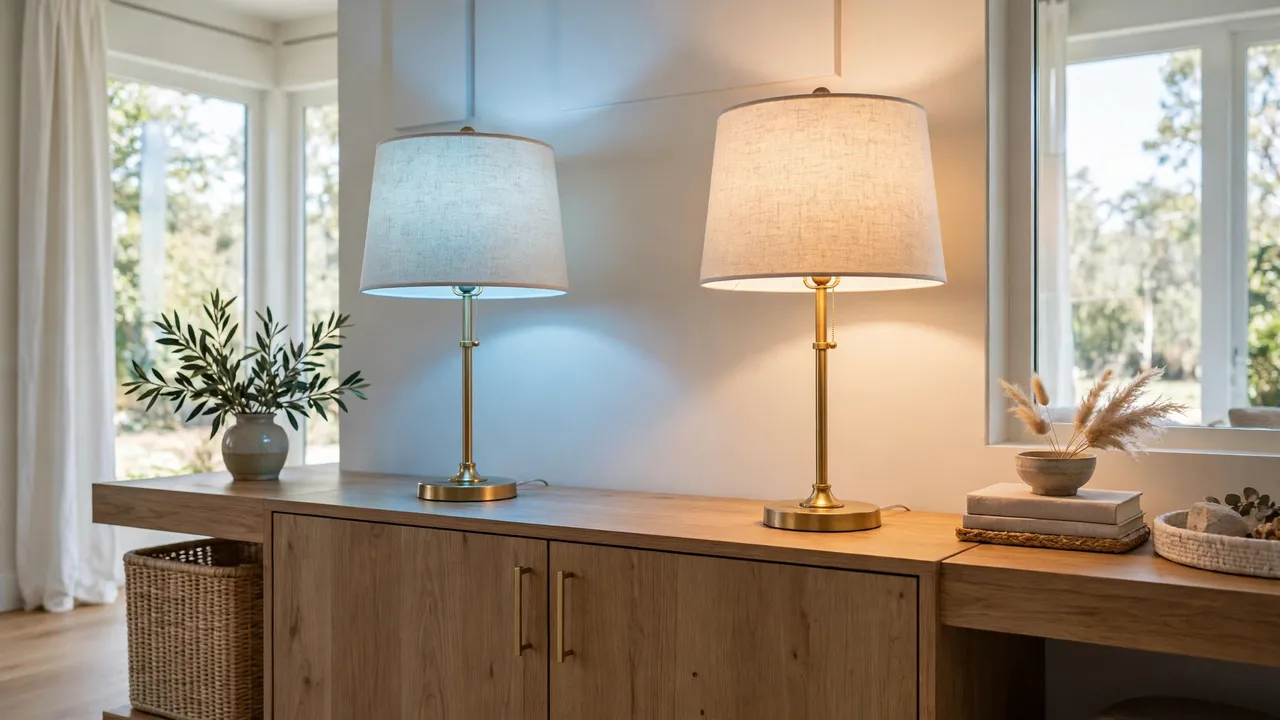
Here is the one idea that separates a good buy from a bad one. Making white light out of red, green, and blue chips alone gives a white that looks cold, flat, or slightly tinted. Fine for a party; not nice for reading, cooking, or makeup.
Better bulbs add real white chips next to the color chips. That is what the extra letters on the box mean:
Color bulb types compared
| Type | What is inside | White light quality | Best for |
|---|---|---|---|
| RGB | Red, green, and blue chips only | Weak. White is mixed from colors and can look bluish or dull | Cheap accent and party bulbs, remote-control models |
| RGBW | Color chips plus one white chip | Good. One fixed warm or neutral white | Budget smart bulbs for lamps and bedrooms |
| RGBCW (also called RGB+CCT) | Color chips plus warm-white and cool-white chips | Best. White adjusts from warm 2700K to daylight 6500K | Main room lighting you use every day |
| Tunable white only | Warm and cool white chips, no color chips | Best whites, but no colors at all | Kitchens and offices where color is not wanted |
So read the box this way. If it only says “RGB,” expect fun colors and mediocre white. If it says RGBW or RGBCW, or lists a white range like 2700K–6500K, the bulb has real white chips and can be your main light. If it says “White Ambiance” style naming with no mention of color, it tunes white only and will never turn blue.
That last point matters for Philips Hue shoppers. Hue sells three look-alike lines: Hue White (one fixed warm white, dimming only), Hue White Ambiance (tunable white, no colors), and Hue White and Color Ambiance (tunable white plus full color). Only the third one changes color.
The Specs That Matter, in Plain Words
You only need to understand four numbers to buy the right bulb. Everything else on the box is decoration.
Lumens: how bright the bulb really is
Lumens measure total light output. Forget watts when you shop for LEDs. Use this simple match-up:
Brightness guide: lumens vs. old bulb watts
| Lumens | Matches an old incandescent bulb of | Good for |
|---|---|---|
| 450 lumens | 40 watts | Accent lamps, night lights |
| 800 lumens | 60 watts | Most lamps and bedrooms |
| 1,100 lumens | 75 watts | Living rooms, kitchens, one-bulb rooms |
| 1,600 lumens | 100 watts | Large or dark rooms |
Most color bulbs are 800 lumens: plenty for a lamp or bedroom, soft for a big living room with one ceiling fixture. If one bulb lights the whole room, step up to 1,100 lumens. The bulb itself uses only about 9 to 12 watts to make that light.
Also know this before your first movie night: colors look dimmer than white. The white chips do most of the brightness work, so a deep blue or red will look much softer than white at the same setting. That is normal physics, not a faulty bulb.
Ignore “wattage equivalent” while you compare. “60W equivalent” only says the bulb shines like an old 60-watt bulb; the small number (like 9W) is what the LED actually uses. When two bulbs both claim 60W equivalent, the one with more lumens is brighter, whatever the box says.
Kelvin: how warm or cool the white looks
White light has a color temperature, measured in Kelvin (K). Low numbers look warm and yellow, like candlelight. High numbers look crisp and blue-white, like daylight. Most tunable bulbs run from 2700K to 6500K. Warm 2700K suits living rooms and bedrooms; around 4000K is neutral and good for bathrooms; cool 5000K to 6500K helps focus in a home office or see detail in a kitchen.
CRI: whether colors look true
CRI (Color Rendering Index) scores how honestly a light shows the colors of things under it, on a scale up to 100. Low CRI makes skin look grey and food look dull. For a bulb you will live under daily, look for CRI 90 or higher. Cheap bulbs often hide this number, which tells you something; the Wyze below lists CRI 90+.
💡 Practical Home Tip: Buy one bulb first and live with it for a week in the room that matters most. Check the white at breakfast and the colors at night. If both look right, buy the multi-pack of the exact same model, because mixing brands in one room means two apps and whites that never quite match.
Hub, Wi-Fi, Bluetooth, or Matter: How Your Bulb Connects
Every smart bulb needs a way to talk to your phone. There are four routes, and the right one depends on how many bulbs you plan to run.
Connection types compared
| Connection | Extra gear needed | Range and limits | Best for |
|---|---|---|---|
| Wi-Fi | None | Works anywhere your Wi-Fi reaches; needs a 2.4 GHz network | Most homes; 1 to 20 bulbs |
| Bluetooth | None | One room only; Hue Bluetooth caps at 10 bulbs | A first bulb or a single room |
| Hub / bridge (Zigbee) | A small bridge box on your router | Hue Bridge handles up to 50 lights; very stable | Whole-home setups, many bulbs |
| Matter (over Wi-Fi or Thread) | Depends; Thread needs a border router | Works across Alexa, Google Home, and Apple Home | New setups you want to keep brand-flexible |
Wi-Fi bulbs are the easy start: screw the bulb in, install the app, connect, done. The trade-off is that each bulb joins your router on the 2.4 GHz band, the slower, longer-range band most routers broadcast. Fill a house with 40 Wi-Fi bulbs plus everything else, and a basic router can start to feel crowded.
Bluetooth bulbs skip the network and talk straight to your phone. Setup is instant, but you must be in the room to control them, and schedules wait until you add a bridge or voice assistant hub.
Hub systems, led by Philips Hue, move bulbs onto their own Zigbee mesh network run by a bridge. This is the most reliable route for a whole home: automations keep running and bulbs stop depending on your Wi-Fi. The cost is the bridge and higher bulb prices.
Matter is the newer shared standard: one bulb that works with Alexa, Google Home, and Apple Home, without locking you into one brand’s app for life. Starting fresh, treat a Matter logo as a real plus.
Whichever route you choose, remember the golden rule of smart bulbs: the wall switch must stay on. A smart bulb needs constant power to listen for commands; flip the switch off and it goes offline until you flip it back. If your family keeps using the wall switch, look at remote light switch options that keep power on instead of fighting the habit.
Color Changing Bulbs With Prices You Can Check

You do not need a long list. You need one bulb at each price level, with a price that was real when this guide was written. These three were checked on the maker’s or retailer’s own page on October 21, 2026. Prices change often, so treat them as a level guide, not a promise.
Three verified examples, checked October 21, 2026
| Bulb | Brightness and white range | Connection | Price checked |
|---|---|---|---|
| Wyze Bulb Color | 1,100 lumens, whites 1800K–6500K, CRI 90+ | Wi-Fi + Bluetooth, no hub | $24.98 for a 2-pack ($12.49 per bulb) at wyze.com |
| Govee A19 Smart Bulb (800 lumens) | 800 lumens, tunable white | Wi-Fi + Bluetooth, no hub | $32.99 for a 4-pack (list $39.99) at Govee’s US store |
| Philips Hue White and Color Ambiance A19 (75W) | 1,100 lumens, tunable white plus color | Bluetooth, or Hue Bridge for the full system | $59.99 for one bulb at Best Buy |
Choose the Wyze if you want the most light for the money. At 1,100 lumens it is brighter than most rivals, its whites run extra warm (down to 1800K), and the CRI is 90+. Two honest limits from Wyze’s own spec sheet: it is not made for totally enclosed fixtures, and control runs through the Wyze app, Alexa, Google Assistant, and IFTTT.
Choose the Govee if you want cheap bulbs in several rooms. The 4-pack brings the cost near $8 per bulb, and Govee’s app is the playful one of the group, with preset scenes and music sync that pulses colors with sound. At 800 lumens, plan on lamps and bedrooms rather than one-bulb living rooms.
Choose the Hue if lighting is becoming a whole-home project. One bulb costs as much as four or five budget bulbs, and the Bridge is separate. What you pay for is the deepest system: a polished app, the widest accessory range, and stable control of up to 50 lights once the Bridge is in. Start with Bluetooth in one room (up to 10 bulbs) and add the Bridge later.
App and Voice Control: What You Can Actually Do
Every smart bulb brand has its own free app, and first setup follows the same pattern: screw the bulb in, turn the power on, add it in the app, connect to your 2.4 GHz Wi-Fi. Wyze’s setup guide has the bulb pulsing to show it is ready to pair; if it does not pulse, switch it off and on three times to restart pairing.
Once a bulb is in the app, the features you will really use are these:
- Color and brightness. Pick any color from the wheel, slide the white from warm to cool, dim from 1% to 100%.
- Scenes. Saved looks applied with one tap: soft warm for dinner, blue for movie night, team colors on game day.
- Schedules and timers. Lights that wake you gently, greet you at the door, or switch off at midnight. This is where a bulb stops being a toy; our guide to setting up light automation at home walks through the routines worth building first.
- Groups. Name bulbs by room and control the room as one light: “living room, warm white, 60%.”
- Away or vacation mode. Lights switch on and off at random times so the house looks lived in.
- Music sync. On bulbs that offer it, colors pulse along with music picked up by your phone.
Voice control sits on top of the app. Link the bulb’s account inside the Alexa or Google Home app once, then plain commands do the rest: “turn the bedroom lamp teal,” “dim the living room to 40%,” “set the porch light to warm white.” If your home runs on Google speakers, mixed devices share one app and one set of routines; our Google Home smart plug guide shows the same pairing logic at work.
Best Uses for a Color Changing Light Bulb, Room by Room

Color everywhere gets old fast. The homes that still enjoy these bulbs a year later use white light as the base and color as an accent, in the rooms where mood is the point.
Living room
Put color bulbs in the lamps, not just the ceiling. Warm white for everyday, low amber for movies, your team’s colors for the game. Two bulbs in table lamps change the room’s feel more than one bright ceiling bulb. If your lamps cannot take smart bulbs, cordless table lamps for the living room are the alternative worth comparing.
Bedroom
This is where tunable white earns its price. Cool, bright white helps you get dressed in the morning; very warm, dim light in the evening tells your body the day is ending, and a scheduled “sunset” fade is the feature owners mention most. A bedside lamp is the easiest place to start; putting a smart bulb in a lamp covers placement and shade tips.
Kids’ rooms and playrooms
Color is pure joy here: a favorite color as a night light, a slow fade for winding down, a “reading lamp” scene in clean white for homework. A dim warm color at 5% beats a plug-in night light, because it can turn itself off on schedule.
Kitchen and bathroom
Skip the colors; use the whites. You want honest, bright, high-CRI white over counters and mirrors so food and faces look right. A tunable-white bulb, or an RGBCW bulb that lives on white settings, makes more sense here than a cheap RGB bulb with fake-looking white.
Porch and yard
Only use a bulb outside if its spec sheet says it suits damp or outdoor locations. Many indoor bulbs, the Wyze included, are fine in a covered, damp-rated fixture but are not built for open rain. Porch colors are a real treat at Halloween and in December. For open-air string lighting, purpose-built outdoor string lights handle weather better than any bulb swap.
Behind the TV and along shelves
A strip follows the shape of furniture better than a bulb does. For a glow that traces a TV, desk, or cabinet line, compare with a smart LED strip before buying bulbs for the job.
Check These 6 Things Before You Buy
Most returns happen because one of these six checks was skipped. Run through them while the bulb is still in your cart:
- Base type. Most US lamps and fixtures take an E26 screw base. E12 is the small candelabra base in chandeliers and some night lights. Match the letter and number, not just the look.
- Bulb shape and size. A19 is the standard shape; BR30 is the wide flood shape for recessed cans. An A19 in a tight fixture may not fit, and in a flood fixture it points light the wrong way.
- Enclosed fixture rating. Heat builds up in fully enclosed fixtures and shortens a smart bulb’s life. Wyze states plainly that its color bulb is not for use in totally enclosed luminaires. Check your fixture against the spec sheet.
- The dimmer warning. Do not run a smart bulb on a wall dimmer. The bulb dims itself through the app; a wall dimmer starves it of power and causes flicker, buzzing, dropouts, or damage. Replace the dimmer with a plain switch, or leave it at full and never touch it.
- Your Wi-Fi band. Wi-Fi bulbs connect on 2.4 GHz only. Most routers broadcast it, but during setup your phone should join that same band, within range of the bulb.
- Your voice platform. Check the box for your assistant: Alexa, Google Assistant, or Apple Home. A Matter logo is the safest sign the bulb will work across systems.
Common Problems and Quick Fixes

Almost every “broken” color bulb is one of these five problems. Work through them cheapest first.
The bulb shows “offline” in the app
Someone turned the wall switch off, or the bulb lost Wi-Fi. Restore power first and give it a minute to reconnect. If it stays offline, check that your router’s 2.4 GHz band is up and the bulb is not at the edge of your Wi-Fi range. Better router placement fixes more “dead” bulbs than replacements do.
The bulb will not pair during setup
Your phone is probably on the 5 GHz band, or the bulb never entered pairing mode. Join the 2.4 GHz network, stand near the bulb, and restart pairing the way the brand specifies. On Wyze bulbs, switching off and on three times starts pairing; many other brands use three to five power cycles until the bulb flashes.
The bulb flickers or buzzes
Look for a wall dimmer on that circuit first; it is the cause most of the time, and the fix is a plain switch, as covered in the checklist above. Flicker on a normal switch needs a different hunt: our guide to fixing flickering lights covers loose connections and other causes, step by step.
The white looks tinted, or the colors look washed out
A pink, green, or icy tint means a cheap RGB-only bulb is mixing a fake white, or the bulb sits in color mode at very low saturation. Set a true white temperature (try 3000K) instead of picking “white” from the color wheel. Washed-out colors are usually other lights in the room competing: dim them, raise the bulb to 100% in color mode, and remember colors are always softer than the same bulb’s white. A 1,100-lumen bulb in the main fixture helps more than any app setting.
A quick safety note that applies to every fix above: always switch the power off at the wall before you screw a bulb in or out, and let a bulb that has been on for a while cool for a few minutes first.
Related Guides
- Light Automation at Home: Schedules and Routines That Work
- How to Use a Lamp With a Smart Bulb
- Smart LED Strips: Where Strips Beat Bulbs
- Remote Light Switch Options for Smart Bulbs
- Smart Plugs That Work With Google Home
- How to Fix Flickering Lights
Frequently Asked Questions
Do I need a hub for a color changing light bulb?
No. Wi-Fi and Bluetooth bulbs work with no hub at all, straight from the app. A hub earns its cost when you have many bulbs: the Hue Bridge, for example, raises the limit from 10 Bluetooth bulbs in one room to 50 lights, with automations and control from away from home.
How long do color changing LED bulbs last?
The models in this guide are rated for 25,000 hours, which at three hours a day works out to more than 20 years of evenings. Heat is the main thing that shortens that life, which is why enclosed fixtures matter. In real homes, the electronics or the app support usually age out before the LEDs do.
Do color changing bulbs consume more energy than regular LED bulbs?
Barely. A color bulb making 800 to 1,100 lumens uses about 9 to 12 watts, much like a plain LED of the same brightness, while an old incandescent needed 60 to 75 watts for the same light. The radio inside sips a small amount of standby power so it can listen for commands.
Can I use color changing LED bulbs outdoors?
Only if the spec sheet says the bulb suits damp or outdoor locations, and only in a fixture that shields it from direct rain unless it carries an outdoor rating like IP65. Many popular bulbs are indoor models; the Wyze Bulb Color, for example, is rated for damp locations but not for totally enclosed fixtures.
Are smart color changing bulbs compatible with all smart home systems?
No, and this is worth checking before you buy. Many bulbs work with Alexa and Google Assistant but not Apple Home; some budget bulbs only work inside their own app. A Matter label is the best sign of wide compatibility, since Matter bulbs are built to work across Alexa, Google Home, and Apple Home.
Is it better to buy a multi-pack or single bulbs?
Multi-packs are better value per bulb, and lighting a room evenly usually takes two to four bulbs anyway. The smart order is one single bulb first to test the app, the white quality, and your Wi-Fi in that room. If it passes, buy the multi-pack of the same model so every bulb behaves and matches.
The Bottom Line
Buy the bulb for its white light first and its colors second. Choose an RGBCW model with at least 800 lumens (1,100 if one bulb lights the room), CRI 90 or better if listed, and a connection that matches your plans: Wi-Fi to start, a hub for a whole home, Matter for flexibility. Keep the wall switch on, keep it off wall dimmers, and start with one bulb in the lamp you use most; expand room by room with the same model once it proves itself for a week.