
A thermostat with humidity control does more than hold a temperature. It measures the moisture in your air and then takes action to keep it in a healthy range, usually between 30% and 50% relative humidity. It can run your air conditioner longer to pull out extra moisture, switch a whole-home humidifier or dehumidifier on and off, and warn you when humidity drifts too high or too low. If your home feels sticky in summer or dry and crackly in winter, this one feature may fix what temperature settings never could.
Not every thermostat that shows a humidity number can control it, though. Some only display the reading. Others can truly manage moisture. This guide explains how the feature works, which systems it pairs with, which models offer it, and what settings to use in each season.
What a Thermostat With Humidity Control Actually Does
A regular thermostat asks one question: is the room at the set temperature? A thermostat with humidity control asks two questions. It checks the temperature and the moisture level, then decides what your heating and cooling system should do about both.
That second question changes everything. Damp air feels warmer than dry air at the same temperature, so a home at 74°F and 60% humidity can feel stuffy while the same home at 74°F and 45% humidity feels fine. When your thermostat manages moisture, you stay comfortable without pushing the temperature up or down as far.
It Measures Humidity, Not Just Temperature
Inside the thermostat sits a small humidity sensor. It reads the relative humidity of the air around it and shows the number as a percentage on the screen or in the app. Relative humidity tells you how much water vapor the air holds compared with the most it could hold at that temperature.
Most smart models check this reading every few minutes and track it over days and weeks. That history matters. A single reading tells you how the air feels right now. A trend tells you whether your basement creeps damp after every rainstorm or your bedrooms dry out each January. Some models also read humidity from remote room sensors, so you can watch a basement or a nursery instead of only the hallway where the thermostat hangs.
It Runs Your Air Conditioner Longer to Pull Out Moisture
Your air conditioner already removes some moisture as a side effect of cooling. Warm air passes over a cold coil, water condenses on the coil, and the water drains away. The catch is that a normal cooling cycle stops as soon as the room hits the set temperature, even if the air is still damp.
A humidity-controlling thermostat fixes this with a trick called overcooling. When humidity sits above your target, the thermostat keeps the air conditioner running past the temperature setpoint, usually by 1 to 3 degrees. Ecobee calls this setting AC Overcool Max, and it lets you choose how far below the setpoint the system may go. Nest calls its version Cool to Dry, and Google explains that it can cool up to 3°F below your set temperature while you are home, and up to 5°F below your Eco temperature while you are away. Sensi calls the same idea Optimal Dehumidification, and its guide says the thermostat overcools by a maximum of 3°F to remove extra humidity.
Overcooling works well on muggy days when the air conditioner would otherwise run in short bursts that cool the air without drying it. It costs a little extra energy, so use it as a tool for humid spells rather than leaving the deepest setting on all summer.
It Can Switch a Whole-Home Humidifier or Dehumidifier On and Off
Overcooling has limits. On a mild, rainy day, your air conditioner may barely run at all, so there is nothing to overcool with. That is where dedicated equipment comes in. Many humidity-controlling thermostats have accessory terminals that wire directly to a whole-home humidifier or dehumidifier.
Here is how it works in plain terms. You set a humidity target, say 45%. When the reading rises above that target, the thermostat sends a low-voltage signal that starts the dehumidifier. When the reading falls back to the target, it switches the unit off. In winter the same logic runs in reverse for a humidifier: when the air drops below your target, the thermostat starts the humidifier during a heating cycle and adds moisture to the air.
On ecobee models, these accessory wires land on the ACC+ and ACC- terminals. On Sensi Touch 2, the ACC+/- terminals handle humidifiers and the W2/* terminal handles dehumidification, according to the manufacturer’s setup guide. Honeywell Home pro models use U terminals for the same job and can even enforce a 15% gap between the humidify and dehumidify settings so the two systems never fight each other. If your thermostat has no accessory terminals, it cannot drive this equipment directly, no matter what the box says about humidity.
Why Indoor Humidity Matters So Much
Humidity is easy to ignore because you cannot see it. You only feel its effects, and by the time you notice them, the damage may already be underway. The U.S. Environmental Protection Agency recommends keeping indoor relative humidity below 60%, and ideally between 30% and 50%. That range is the sweet spot where your home feels good and most moisture problems stay away.
Comfort Comes First
Humidity changes how temperature feels on your skin. When the air is damp, sweat evaporates slowly, so your body cannot cool itself well. A room at 75°F and 65% humidity feels heavy and sticky. The same room at 75°F and 40% humidity feels light and easy. This is why lowering the temperature often fails on humid days: the problem was never the temperature.
Dry air causes the opposite trouble. In winter, heated indoor air can drop to 15% or 20% humidity. Your skin dries out, your nose and throat feel scratchy, and static shocks zap you every time you touch a doorknob. A thermostat that holds humidity near 35% to 40% in winter makes the same temperature feel warmer and kinder.
Mold and Allergies Love Damp Air
Mold needs moisture, something to grow on, and time. Drywall, wood, and dust give it food. All it waits for is dampness. When indoor humidity stays above 60% for long stretches, surfaces stay wet enough for mold to take hold, and the EPA notes that mold can start growing on damp surfaces within 24 to 48 hours. Bathrooms, basements, closets, and window frames are the usual trouble spots.
Mold and dust mites both trigger allergies and asthma. Dust mites thrive above 50% humidity, so holding the line near 45% cuts their numbers down. A thermostat that watches humidity around the clock and alerts you when it crosses 60% gives you a warning long before you smell mildew or see a dark patch on the wall.
Wood Floors, Furniture, and Paint Suffer Too
Wood moves with moisture. In damp summers, hardwood floors can cup and swell, doors stick, and drawers jam. In dry winters, the same floors shrink and gap, furniture joints loosen, and paint and caulk crack. Musical instruments, books, and artwork suffer the same swings. It is the slow, seasonal swing between too damp and too dry that does the damage, and a thermostat that keeps humidity steady through the year protects the parts of your home you paid good money for.
Which Systems Work With Humidity Control
A thermostat is only the brain. It still needs a body to do the work, and that body is your HVAC equipment. What your thermostat can actually control depends on what sits behind your walls.
Central Air Conditioning
Almost every central air conditioner can dehumidify through overcooling, because every AC already wrings water out of the air as it cools. Your thermostat only needs the ability to run the system past the temperature setpoint. This is the most common setup in American homes, and it needs no extra equipment at all.
The limit is mild weather. When it is 72°F and raining outside, your AC has little reason to run, so overcooling cannot do much. If your summers are long and hot, AC dehumidification may be all you ever need. If your damp days are mild, read on.
Whole-Home Dehumidifiers
A whole-home dehumidifier ties into your ductwork and dries the air without cooling it much. Your thermostat switches it on whenever humidity rises above your target, whatever the temperature. This is the right answer for basements, Gulf Coast summers, and shoulder seasons when the AC sits idle.
These units cost more than a portable dehumidifier and need a drain line and a pro install, but they protect the whole house from one central point. If you already own one, check whether your thermostat has the terminals to drive it before you buy a new thermostat.
Whole-Home Humidifiers
In cold climates, winter air is the problem, not summer air. A whole-home humidifier mounts on your furnace ductwork and adds moisture while the heat runs. Your thermostat starts it when humidity falls below your target and stops it when the target is met.
There are three common types: bypass, fan-powered, and steam. Bypass and fan-powered models only add moisture while the furnace runs, so they work best in homes where the heat cycles often. Steam models make their own humidity on demand and work even when the heat is off, but they cost more and use more energy.
Heat Pumps
Heat pumps cool just like air conditioners in summer, so the same overcooling trick works for them. Google confirms that Cool to Dry works with heat pumps as well as air conditioners. Ecobee and Honeywell models also support dehumidification on heat pump systems, including multi-stage setups where the system can run gently at low speed for longer, steadier drying.
One caution: if your heat pump short-cycles, it will cool without drying, and no thermostat setting can fully fix that. That is an equipment sizing problem, not a thermostat problem. Our guide to thermostats for heat pumps explains which models pair best with these systems.
Boilers and Radiant Heat
Boilers and radiant floors heat beautifully, but they do not move air, so they cannot dehumidify at all. A thermostat on a boiler system can still control a standalone whole-home humidifier or dehumidifier through its accessory terminals, because those units have their own fans. It just cannot use the heating system itself to change moisture.
Which Thermostats Offer Humidity Control
Here is the honest split: many thermostats show you a humidity number, but only some can act on it. The table below covers the popular models that genuinely control humidity, with list prices checked in November 2026. Prices change with sales and rebates, so treat these as the starting point, not the final price you will pay. Utility rebates often cut $50 to $100 off a smart thermostat, so check your power company before you buy.
Table: Popular thermostats with humidity control and their list prices
| Model | Humidity control | List price |
|---|---|---|
| ecobee Smart Thermostat Premium | Humidifier and dehumidifier terminals, overcooling, room sensors | $259.99 |
| ecobee Smart Thermostat Enhanced | Dehumidify with AC, overcooling, accessory support | $199.99 |
| ecobee Smart Thermostat Essential | Humidity sensing and AC dehumidification | $139.99 |
| Google Nest Learning Thermostat (4th gen) | Cool to Dry, Humidity Helper, humidifier and dehumidifier terminals | $279.99 |
| Honeywell Home T9 | Room sensors with humidity, dehumidification control | $209.99 |
| Emerson Sensi Touch 2 | Humidifier and dehumidifier control, overcooling | $209.99 |
ecobee Smart Thermostat Premium: The Strongest Humidity Toolkit
Ecobee gives you the deepest humidity controls of any mainstream thermostat. The Premium, listed at $259.99 on ecobee.com, has ACC terminals that wire directly to whole-home humidifiers and dehumidifiers, an Adjust Temperature for Humidity setting that shifts the setpoint so the room feels right, and an AC Overcool Max setting that runs the cooling up to 5°F past your setpoint to wring out extra moisture. It also ships with a SmartSensor, and some sensors report humidity from other rooms, so you can watch a damp basement without moving the thermostat.
The Enhanced, at $199.99, keeps the same overcooling and dehumidify-with-AC features but drops the included sensor and the built-in air quality monitor. The Essential, at $139.99, is the budget entry and still senses humidity and dehumidifies with the AC. Note that the older ecobee3 Lite has no ACC terminals, so it cannot drive a humidifier or dehumidifier directly.
Google Nest Learning Thermostat (4th Gen): The Easiest Overcooling
The Nest Learning Thermostat (4th gen), listed at $279.99 on the Google Store, handles humidity in the simplest way. Its Cool to Dry feature runs your air conditioner or heat pump to cut humidity, cooling up to 3°F below your set temperature at home and up to 5°F below your Eco temperature while you are away. The 4th gen also adds Humidity Helper, which adjusts your humidification target automatically based on the outdoor weather, and it has extra terminals so it can support both a humidifier and a dehumidifier at once.
The trade-off is control depth. Nest shows humidity clearly and automates the basics well, but it gives you less hands-on control over accessory equipment than ecobee or Honeywell pro models. For apartments and smaller homes, that simplicity is a plus. For a damp house with a basement dehumidifier, you may want more.
Honeywell Home T9: The Pro-Friendly Middle Ground
The Honeywell Home T9, with a list price of $209.99, sits between the two. Its Smart Room Sensors report temperature and humidity from other rooms, and it supports dehumidification control on conventional and heat pump systems. Honeywell’s pro lines go further: the T10 Pro and VisionPRO 8000 add dedicated humidifier and dehumidifier terminals, window protection that lowers the humidity target automatically on cold days to stop condensation, and a 15% deadband that keeps humidifying and dehumidifying from fighting each other. These pro models are usually sold and set up through HVAC contractors.
Emerson Sensi Touch 2: The Straightforward Budget Pick
The Sensi Touch 2 carries a manufacturer suggested price of $209.99 and covers the humidity basics well. Its setup guide shows full humidification and dehumidification control through its ACC+/- and W2/* terminals, plus an Optimal Dehumidification feature that overcools by up to 3°F on systems with no dedicated dehumidifier. It has a big, clear touchscreen and a simple app, which makes it a good pick if you want real humidity control without a premium price or a complicated menu system.
Budget Thermostats and What They Can Do
Cheaper smart thermostats like the Wyze Thermostat and the basic Amazon Smart Thermostat show humidity readings but cannot drive a humidifier or dehumidifier. That is fine if all you need is a number on the screen and a nudge to run a portable dehumidifier. It is not enough if you want the thermostat to manage moisture on its own. When you compare models, look for the words “humidity control” or “dehumidification control” in the specs, not just “humidity sensor.” The sensor only watches. Control acts.
Ideal Indoor Humidity Settings by Season
There is no single magic number. The right target moves with the seasons because cold air and warm air hold moisture differently, and your windows set a hard limit in winter. The EPA’s guidance gives the outer frame: keep indoor relative humidity below 60%, and ideally between 30% and 50%. Inside that frame, use the table below as your starting point, then adjust for your own home.
Table: Recommended indoor humidity targets by season and outdoor temperature
| Season or condition | Target humidity | Why |
|---|---|---|
| Summer | 40% to 50% | Stops mold and dust mites, feels cooler |
| Winter, mild (above 20°F outside) | 35% to 45% | Comfortable air, windows stay dry |
| Winter, cold (0°F to 20°F outside) | 30% to 35% | Colder glass condenses at lower humidity |
| Winter, severe (below 0°F outside) | 25% to 30% | Protects windows and walls from condensation |
| Basement, year-round | At or below 50% | Basements run cooler and damper |
| Never exceed | 60% | EPA upper limit for indoor humidity |
Winter deserves extra attention. Warm indoor air holds more moisture than cold outdoor air, so when that warm, moist air touches a cold window, water condenses on the glass. The colder it gets outside, the lower your indoor humidity must be to keep windows dry. If you wake up to fogged or dripping windows, lower your humidity target by 5% and check again the next morning. Many Honeywell and Nest models do this automatically: Nest’s Smart Humidity feature lowers the target based on outdoor temperature, and Honeywell’s window protection does the same.
In summer, aim for the lower half of the range if your home has a basement or a history of musty smells. Forty-five percent is a good default for most homes. If the air still feels sticky at 45%, drop to 40% before you drop the temperature. Dry air at 74°F often feels better than damp air at 71°F, and it costs less to run.
How to Set Up Humidity Control on Your Thermostat
Setup takes about fifteen minutes once the wiring is right, and most of it happens in the thermostat’s menus or app. The exact menu names differ by brand, but the steps follow the same order.
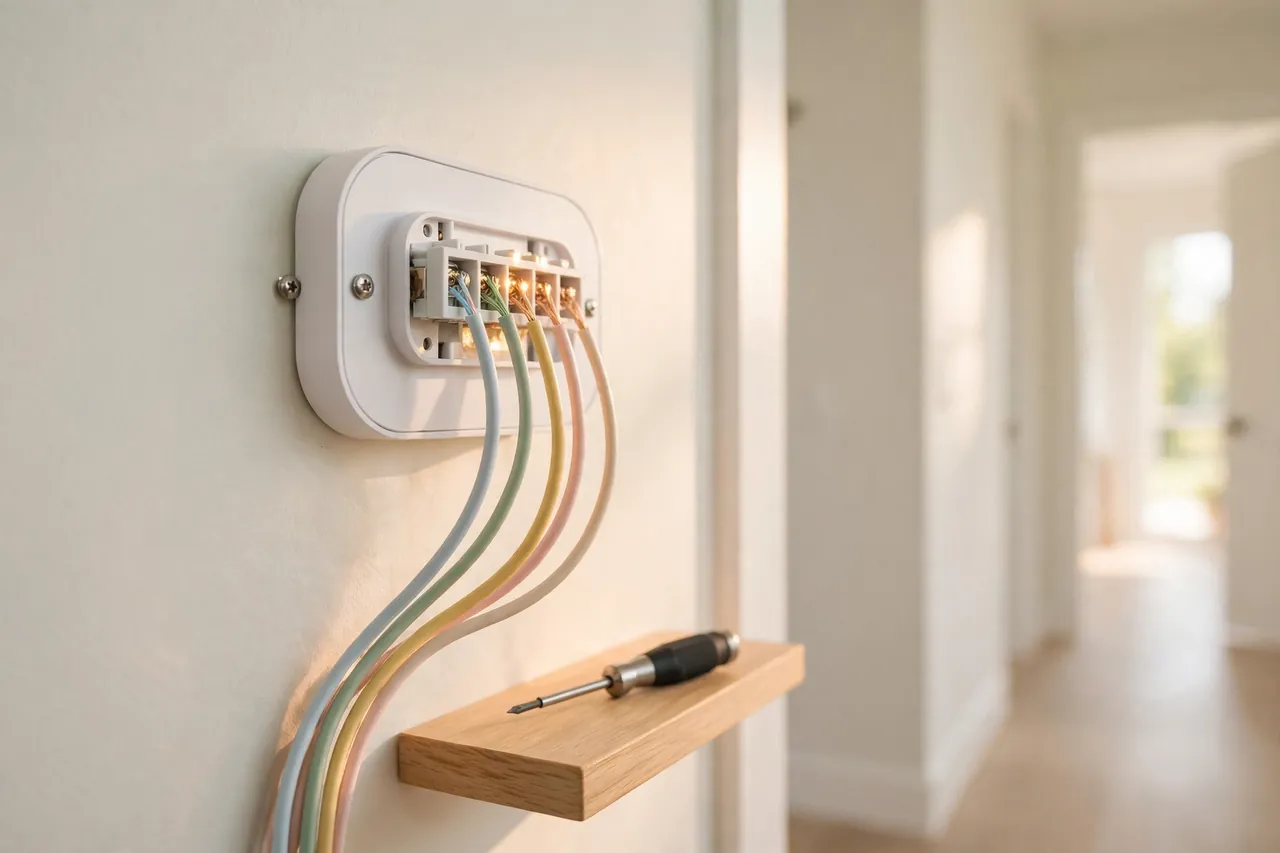
- Turn off power to your HVAC system at the breaker. Even low-voltage thermostat wires can short and blow a fuse if they touch while live. This is the one step you never skip.
- Check your wiring. Look for a C-wire, which most smart thermostats need for steady power, and for accessory wires to your humidifier or dehumidifier. On ecobee, accessory wires land on ACC+ and ACC-. On Sensi, humidifiers use ACC+/- and dehumidification uses W2/*. On Nest 4th gen, use the dedicated humidifier and dehumidifier terminals. If you see only two or three wires and no C-wire, you may need an adapter kit or a pro.
- Tell the thermostat what equipment you have. In the settings menu, open the equipment or accessories section and select your humidifier or dehumidifier type. This step is the one people forget most, and without it the thermostat will never send a signal to the equipment.
- Set your humidity targets. Start with 45% for dehumidification in summer and 35% for humidification in winter. Set them in 5% steps, since most thermostats adjust in 5% increments.
- Turn on the dehumidification feature. On ecobee, enable Dehumidify Using AC and set AC Overcool Max to 1°F or 2°F to start. On Nest, turn on Cool to Dry. On Sensi, enable Optimal Dehumidification. Start gentle and raise the overcool limit only if humidity stays high.
- Set your alerts. Create a high-humidity alert at 60% and a low-humidity alert at 30%. These catch problems while you are away or asleep.
- Watch for a week, then fine-tune. Check the humidity history in the app each evening. If humidity never drops below 55% even with overcooling on, your problem may be bigger than settings, and the limits section below explains why.
If any step feels unclear, or your system uses high-voltage controls, stop and call an HVAC professional. A wrong wire will not hurt you at 24 volts, but it can damage a control board that costs hundreds of dollars to replace.
What a Thermostat Cannot Fix
A humidity-controlling thermostat is a powerful tool, but it is not magic. It manages the equipment you have. It cannot fix a house that lets water in faster than any machine can take it out.
Leaks, Groundwater, and Poor Drainage
If rainwater seeps through a foundation crack, a roof leak drips into the attic, or a basement wall weeps after every storm, no thermostat setting will dry that out. The moisture source must be fixed first: gutters, grading, sealing, and drainage. A thermostat can only manage the moisture in the air. It cannot stop water coming through a wall.
An Oversized Air Conditioner
This is the most common hidden cause of sticky homes. An air conditioner that is too big for the house cools the air in short bursts and shuts off before it has run long enough to pull moisture out. The room hits 72°F fast, but the air stays damp, so the home feels clammy. Overcooling helps a little, but it cannot fully fix an oversized unit. The real fix is proper sizing at replacement time, which is why a load calculation matters more than a bigger tonnage number. If you are shopping for a new system, our guide to choosing a heating and air conditioning system walks through sizing.
Too Much Fresh Air in Humid Weather
A leaky house pulls in humid outdoor air all summer. Every gap around windows, doors, and ductwork is an open door for moisture. Sealing those gaps and making sure your ductwork does not leak can cut the humidity load more than any thermostat setting. A thermostat can manage the air inside, but it cannot keep up with a house that breathes in a swamp.
No Dehumidifier on Mild Days
On a 70°F rainy day, your air conditioner has almost no reason to run. Overcooling cannot help because there is nothing to overcool with. Only a dedicated dehumidifier, or a portable unit in the dampest room, can dry the air on days like that. If your home feels damp mostly in spring and fall rather than in high summer, a whole-home dehumidifier matters more than a fancier thermostat.
Signs Your Humidity Settings Need Adjusting
Your home tells you when the numbers are wrong. You only have to know what to look for.
- Windows fog or drip in winter: your humidity target is too high for the outdoor temperature. Drop it by 5% and check again tomorrow.
- The air feels sticky even though the temperature is right: your dehumidification target is too high, or overcooling is off. Lower the target to 45% and enable the dehumidify feature.
- Static shocks, dry skin, and scratchy throats: winter air is too dry. Raise the humidifier target toward 35% to 40%.
- A musty smell in the basement or closets: humidity is staying above 55% in that spot. Add a room sensor or a portable dehumidifier there, and check the thermostat’s history for the pattern.
- Wood floors gapping in winter or cupping in summer: the seasonal swing is too wide. Tighten the targets so the yearly range stays inside 30% to 50%.
- Humidity never drops below 60% even with the AC running: you likely have a source problem, an oversized AC, or a need for a dedicated dehumidifier. No setting will fix this one alone.
A flood sensor in a basement or near a water heater adds a second layer of protection. It catches actual water on the floor, which is the one thing a humidity reading cannot see.

Related Guides
If you are still choosing the right thermostat for your home, start with our guide to smart thermostats for home, which covers the whole category, and our look at wireless thermostats if you want room-by-room control. Heat pump owners should read our guide to thermostats for heat pumps before buying, since not every model handles multi-stage heat pumps well. And if your home runs on electric heat, our guide to electric heat thermostats covers the wiring differences that matter.
For the rest of the system, our guide to buying a new HVAC system helps you judge sizing and efficiency, and our dry mode air conditioner guide explains the dehumidify mode built into many AC units. If damp has already left its mark, our guide to cleaning mold without spreading spores shows how to deal with it safely.
Frequently Asked Questions
How does a thermostat with humidity control work?
It reads indoor humidity with a built-in sensor and compares it with your target, usually 30% to 50%. When humidity runs high, it runs your air conditioner longer to pull out moisture, a trick called overcooling, or it switches on a whole-home dehumidifier. When air runs dry in winter, it starts a whole-home humidifier instead.
Do all smart thermostats control humidity?
No. Many smart thermostats display humidity but only some can directly control whole-home humidifiers, dehumidifiers, or advanced AC dehumidification modes. Check for dedicated HUM or DEHUM terminals and humidity control settings in the product specs before you buy, because a humidity reading alone changes nothing.
Is a smart thermostat enough to prevent mold by itself?
No, it is only part of the solution. You also need adequate ventilation, properly sized HVAC equipment, and in many cases a whole-home or room-based dehumidifier. Think of the thermostat as the brain that coordinates these systems, not a standalone cure for damp, leaks, or an oversized air conditioner.
Where should I install my thermostat for accurate humidity readings?
Install the thermostat in a central interior location away from direct sunlight, exterior doors, and bathrooms or kitchens. For moisture-prone areas like basements or bathrooms, add separate humidity sensors rather than relocating the main thermostat to an extreme environment that would skew every reading.
Can I use a smart thermostat in a rental?
Often yes, but check with your landlord first. In many rentals a simple smart thermostat without accessory wiring, combined with smart plugs and portable dehumidifiers, is the most practical option and can usually be swapped back to the original thermostat when you move out.
How accurate are built-in humidity sensors in thermostats?
Most built-in sensors are accurate enough for home use, typically within a few percentage points. If you need more precision, compare readings with a dedicated hygrometer and adjust your targets slightly, or add separate high-accuracy humidity sensors for critical areas like a basement or nursery.
A thermostat with humidity control will not fix a leaky house or an oversized air conditioner, but for most homes it is the simplest upgrade that makes summer feel less sticky and winter feel less harsh. Start by checking what your current thermostat can already do. If it only shows a number, look at the models in the table above and match one to your system. Then set a 45% summer target, a 35% winter target, turn on the alerts, and let the thermostat do the watching for you.



